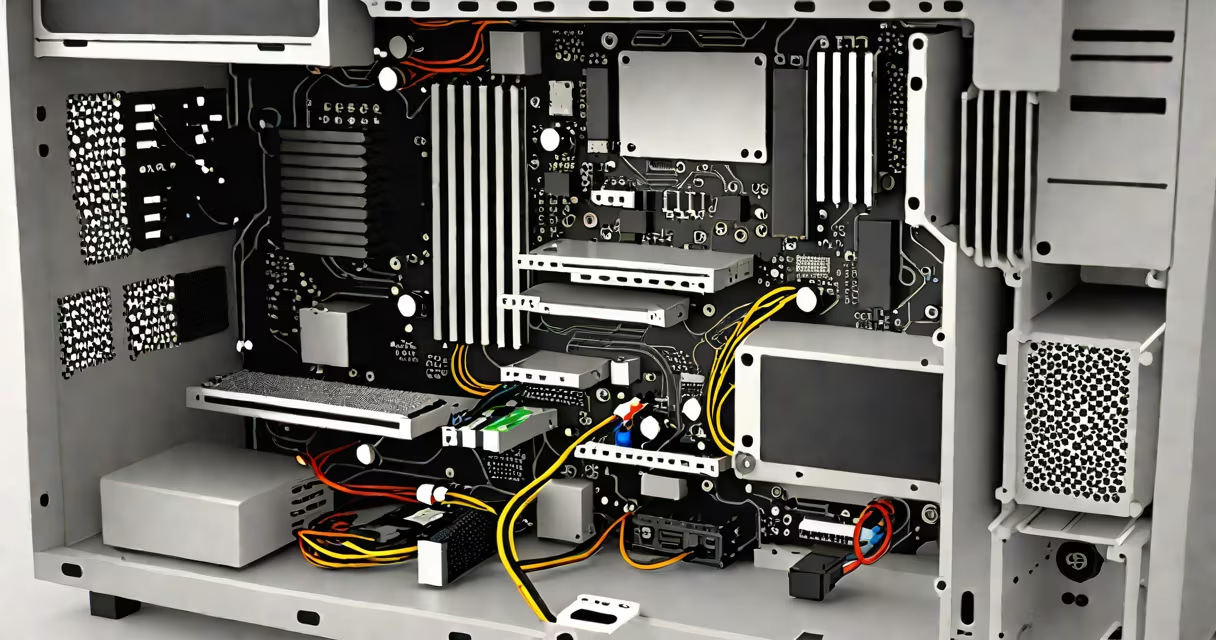
The major components of a PC are the central processing unit (CPU), motherboard, random access memory (RAM), storage drive, graphics processing unit (GPU), power supply unit (PSU), and cooling system. Together, they manage data flow, execute instructions, store information, and deliver visual output.
A PC functions by routing electrical signals through interconnected hardware. When you press a key, the signal travels from the keyboard to the motherboard, which directs it to the CPU. The CPU processes the command, accesses RAM for temporary data, and retrieves stored files from the SSD or HDD. The GPU renders images on screen, while the PSU supplies consistent power. Cooling systems prevent overheating during operation.
For example, launching a video editing program requires the CPU to decode video formats, RAM to hold open project files, the GPU to accelerate rendering, and the SSD to load media quickly. Without any single component, the system fails to boot or runs inefficiently.
According to Intel's official documentation, the CPU handles 90% of general computing tasks in typical desktop workflows, making it the primary decision-making unit in the system.
Each major component plays a distinct role in system performance and stability.
Many assume that higher clock speeds always mean better performance. But a CPU with a 4.5 GHz clock may underperform a 3.8 GHz model with more cores and advanced architecture. The AMD Ryzen 7 7700X outperforms older Intel chips despite lower clock speeds due to improved instruction efficiency.
Another mistake is equating RAM size with speed. 64 GB of DDR4-3200 MHz RAM doesn't improve performance over 32 GB of DDR5-6000 MHz unless the workload exceeds 32 GB capacity. Memory bandwidth matters more than sheer volume in gaming and simulation.
Some users believe GPUs are only for gaming. However, NVIDIA's RTX series powers AI training, scientific modeling, and video transcoding. A single RTX 4090 can train a large language model in hours, not days.
To illustrate how components interact, consider building a workstation for 3D animation and machine learning:
This configuration handles Blender scenes with 1 million polygons, trains neural networks using PyTorch, and streams 4K video simultaneously-without thermal throttling.
| Component | Minimum for Basic Use | Recommended for Performance Tasks | Impact on System |
|---|---|---|---|
| CPU | Intel Core i3-12100 | AMD Ryzen 9 7950X | Determines multitasking speed and application responsiveness |
| RAM | 8 GB DDR4 | 64 GB DDR5 | Enables smooth operation of large applications and virtual machines |
| Storage | 256 GB SATA SSD | 2 TB NVMe SSD | Reduces load times and improves file transfer rates |
| GPU | NVIDIA GT 1030 | NVIDIA RTX 6000 Ada | Essential for high-resolution graphics, AI, and video encoding |
| PSU | 450W 80 PLUS Bronze | 1000W 80 PLUS Platinum | Ensures stable voltage delivery and protects against power surges |
People often misidentify peripherals as core components. A monitor, keyboard, or mouse are external devices. They don't process data or control operations. The GPU sends video signals to the monitor, but the display itself isn't part of the PC's internal architecture.
Another error is thinking that "RAM" and "storage" are interchangeable. RAM is volatile-data disappears when power cuts. Storage retains data permanently. A 16 GB RAM stick holds active programs; a 1 TB SSD stores your OS, documents, and photos.
I once replaced a failing motherboard in a client's system and noticed the BIOS had no record of the installed GPU. After checking, the GPU was seated correctly, but the PCIe slot wasn't powered. The issue wasn't the GPU-it was a faulty motherboard power rail. This shows that diagnosing problems requires understanding each component's role.
Every component affects reliability, upgrade path, and cost. A low-quality PSU can cause crashes even with premium parts. According to the National Institute of Standards and Technology (NIST), poor power regulation leads to 37% of unexpected system failures in enterprise environments.
For gamers, the GPU dominates frame rate. A 1440p 144 Hz monitor demands a GPU capable of sustaining 100+ FPS in titles like Cyberpunk 2077. For content creators, RAM and storage speed reduce render times. Adobe Premiere Pro benchmarks show a 40% faster export time when using NVMe SSDs versus SATA drives.
Understanding the major components of a PC enables informed upgrades, troubleshooting, and system design. Knowing which parts affect performance most-like the CPU for computation or the GPU for visuals-helps avoid wasted spending. optimizing an existing one, focus on compatibility, power delivery, and workload requirements.