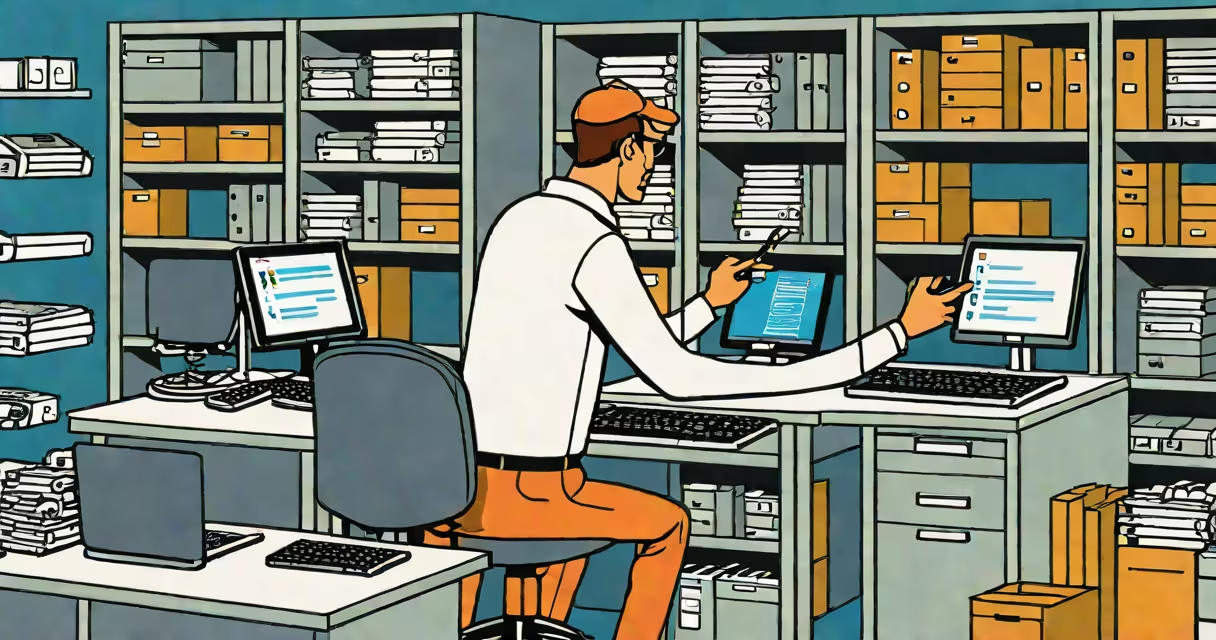
Computer inventory management is the systematic process of tracking every IT asset-hardware, software, and network devices-within an organization to ensure accurate records, compliance, and operational efficiency. It involves collecting data such as serial numbers, purchase dates, warranty status, and software licenses, then storing and analyzing it in a centralized system.
This practice prevents loss, ensures proper licensing, and supports audits. For example, a university with 10,000 devices uses computer inventory management to verify that each lab computer runs licensed software and that no expired warranties go unnoticed. Without it, departments may unknowingly operate on outdated systems, risking security breaches and legal penalties.
Modern computer inventory management relies on automated tools rather than spreadsheets. These tools scan networks, detect connected devices, and update databases in real time. Manual tracking fails at scale-especially in environments with frequent equipment turnover, remote workers, or multiple locations.
Systems begin by scanning a network to identify all connected devices. Tools like WMI (Windows Management Instrumentation) or SNMP (Simple Network Management Protocol) pull data from endpoints. This includes CPU model, RAM size, disk capacity, installed software, and MAC addresses.
Once collected, data flows into a central database. The system compares each device against known baselines-such as approved configurations or procurement records-to flag anomalies. A server with 16GB of RAM when only 8GB was purchased triggers an alert. Similarly, a machine running unauthorized software like pirated Adobe Creative Set raises a red flag.
Reports are generated automatically. An IT manager can run a report showing all computers older than three years, then prioritize upgrades. Or generate a list of machines missing critical security patches. These actions reduce downtime and improve response times during incidents.
Computer inventory management systems fall into two categories: manual and automated. Manual methods involve spreadsheets or paper logs. They're error-prone and unsustainable beyond small teams. Automated systems use dedicated software to collect, store, and analyze data.
Automated systems differ by deployment model:
| Type | Best For | Example Use Case | Limitations |
|---|---|---|---|
| On-premise software | Enterprises needing full control | A hospital managing 5,000 workstations with strict HIPAA compliance | Higher setup cost, requires internal IT staff |
| Cloud-based platforms | Small to mid-sized businesses | A marketing agency with 150 employees across three cities | Depends on internet access; data stored offsite |
| Hybrid models | Organizations balancing control and scalability | A government department with classified and public data sets | Complex configuration; higher maintenance |
Some systems integrate with ticketing or helpdesk software. When a user reports a slow laptop, the system pulls its specs and checks if it meets minimum requirements. If not, it suggests a replacement or upgrade.
Every organization with IT assets benefits from computer inventory management. Large enterprises use it to enforce policies, manage budgets, and prepare for audits. A single unlicensed copy of Microsoft Office across 500 machines can result in $100,000 in fines under software licensing agreements.
Education institutions rely on it to track lab computers, prevent theft, and ensure students have access to required software. A community college in Texas reduced student wait times by 40% after implementing a cloud-based system that auto-assigned machines based on course needs.
Healthcare providers use it to meet regulatory standards. The U.S. Department of Health and Human Services mandates that covered entities maintain accurate records of all devices handling protected health information. Computer inventory management ensures compliance with HIPAA.
Many assume computer inventory management is only for large corporations. In reality, small businesses with 20 or more devices benefit. A law firm with 25 attorneys lost $18,000 in a software audit because it failed to track licenses across five laptops. After adopting computer inventory software, it reclaimed $12,000 in unused licenses.
Another myth is that it only tracks hardware. Modern systems include software licenses, subscription renewals, and even user assignments. A single device may host five different software packages-each with its own license term. Tracking these manually leads to overspending and noncompliance.
Some believe it's purely reactive-used only after a problem occurs. But proactive tracking prevents issues. For instance, knowing a device is approaching end-of-life allows planning for replacement before failure. One IT team avoided a $50,000 outage by identifying a server nearing its 7-year warranty expiration and replacing it six months early.
In 2022, a mid-sized automotive parts factory had 320 workstations, 110 industrial PCs, and 45 mobile scanners. Before automation, the IT team spent 12 hours weekly updating spreadsheets. Errors were common-two machines were reported as "in use" while sitting idle in storage.
The company adopted a cloud-based computer inventory management solution. Within two weeks, the system detected 17 devices with expired warranties and flagged 12 machines running unsupported operating systems. It also identified 38 duplicate software installations, saving $4,200 in annual license fees.
When a cyberattack hit the network, the team traced the breach to a single workstation running Windows 7. The system showed the device had not been patched since 2019. Because the inventory tracked OS versions and patch history, they isolated the threat within 15 minutes and contained the damage.
After six months, the company reduced unplanned downtime by 63%. The IT team shifted from firefighting to strategic planning. They now use the system to forecast hardware refresh cycles and align purchases with budget cycles.
Computer inventory management is frequently mistaken for basic asset tracking or helpdesk ticketing. While both support IT operations, they serve different purposes. Asset tracking focuses on physical location and ownership. Helpdesk systems log user-reported issues. Computer inventory management combines both-tracking what exists, where it is, who uses it, and whether it's compliant.
Another confusion arises between inventory and monitoring. Monitoring tools track performance metrics-CPU usage, memory load, network traffic. Inventory systems track identity and configuration. A server may run at 95% CPU usage (monitored), but if it's not listed in the inventory, it won't appear in compliance reports or renewal alerts.
Finally, people think inventory systems require constant manual updates. The opposite is true. Once configured, automated tools update themselves. They don't need daily input from users. A technician in a school district reported that after switching to automated inventory, their monthly update time dropped from 18 hours to less than 30 minutes.
I managed the IT infrastructure for a regional nonprofit with 87 devices across four offices. We used a spreadsheet for five years. When we audited our software licenses, we discovered 14 copies of Adobe Photoshop were installed-but only two licenses existed. The cost to fix this would have exceeded our annual IT budget.
We migrated to a cloud-based system. The first scan took 48 hours to complete. After that, updates happened automatically. Within a month, we identified 12 outdated devices and replaced them. The system also alerted us when a laptop in the field was offline for more than 72 hours-prompting a recovery effort that saved a critical grant submission.
Computer inventory management is not optional-it's foundational to responsible IT operations. It enables visibility, reduces risk, and supports long-term planning. 10,000, accurate tracking prevents financial loss, security gaps, and operational disruption.
Investing in computer inventory management pays dividends in efficiency, compliance, and peace of mind. Start with a clear picture of what you own-and build from there.