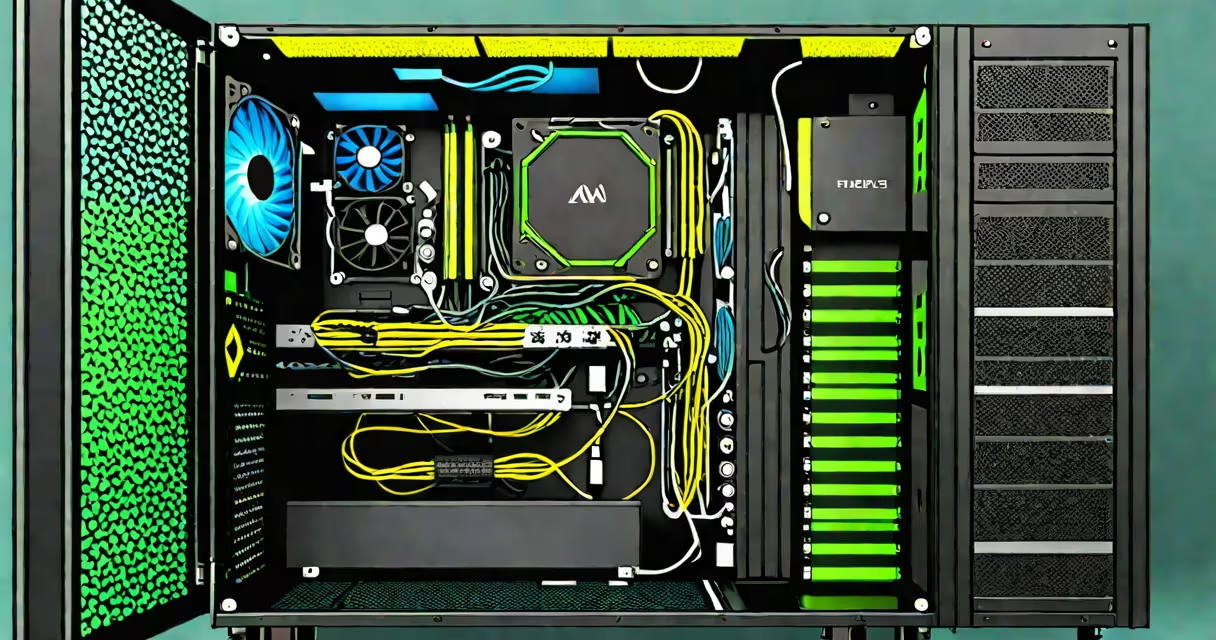
The parts of a pc tower are the physical components housed inside a computer case that work together to process data, store information, and deliver visual output. These include the motherboard, central processing unit (CPU), memory (RAM), graphics card (GPU), storage drives, power supply unit (PSU), and cooling systems.
Inside the tower, all components connect through the motherboard-a printed circuit board that acts as the central nervous system. The CPU plugs into a socket on the motherboard and processes instructions. RAM modules sit in dedicated slots and provide temporary workspace for running programs. The GPU handles rendering images and video, either integrated into the CPU or installed separately on a PCIe slot.
Storage devices-solid-state drives (SSDs) and hard disk drives (HDDs)-connect via SATA or M.2 ports. They hold the operating system, applications, and files. The PSU delivers stable electrical power to all components through modular or non-modular cables. Cooling systems, including case fans and heat sinks, regulate temperature to prevent overheating.
When you turn on the PC, the BIOS/UEFI firmware on the motherboard runs a power-on self-test (POST), checks component readiness, and loads the OS from storage. Without proper connection and compatibility, the system may fail to boot or crash during use.
Each major part serves a distinct function:
Many users incorrectly assume that a larger case automatically supports better performance. Case size affects airflow and cable management but doesn't improve CPU or GPU speed. A small ITX case can house a useful gaming rig, while a large tower with poor ventilation can overheat despite lower component specs.
Towers come in different sizes based on motherboard form factor and intended use:
| Form Factor | Case Size | Use Case | Max Component Support |
|---|---|---|---|
| ATX | Full-tower or mid-tower | High-performance desktops, gaming rigs | Standard-sized motherboards, multiple drive bays |
| micro-ATX | Mid-tower | Compact builds, home offices | Smaller motherboards, fewer expansion slots |
| mini-ITX | Small cases, sometimes compact towers | Home theater PCs, space-limited setups | Minimalist builds, single GPU, limited storage |
Not all cases support all form factors. For example, a mini-ITX motherboard won't fit in a standard ATX case unless the case explicitly supports smaller boards.
Consider a build using an Intel Core i7-13700K, 32GB DDR5 RAM, NVIDIA RTX 4070 Ti, 1TB NVMe SSD, and a 750W 80 Plus Gold PSU. The motherboard is an ASUS ROG Strix Z790-F, which fits in a mid-tower case with dual intake and exhaust fans.
Installation steps: Mount the motherboard into the case, attach the CPU and RAM, install the GPU into the PCIe x16 slot, connect the SSD to the M.2 port, plug the PSU into the motherboard and GPU, then route cables neatly behind the motherboard tray.
After powering on, the system boots into Windows. The GPU renders 1440p gameplay at 120 FPS in Cyberpunk 2077. The CPU temperature stays below 75°C under load due to a 240mm liquid cooler.
Some believe that adding more fans increases performance. Fans only improve airflow and reduce heat-they don't boost processing speed. A poorly placed fan can create turbulence, worsening cooling efficiency.
Finally, many think that case aesthetics affect speed. RGB lighting adds no computational benefit. However, a well-ventilated case with quality fans can extend component lifespan by reducing thermal stress.
Understanding the parts of a pc tower ensures correct assembly, troubleshooting, and upgrades. Each component plays a role in system stability and performance. Knowing how they connect and function prevents common setup errors and improves long-term reliability.