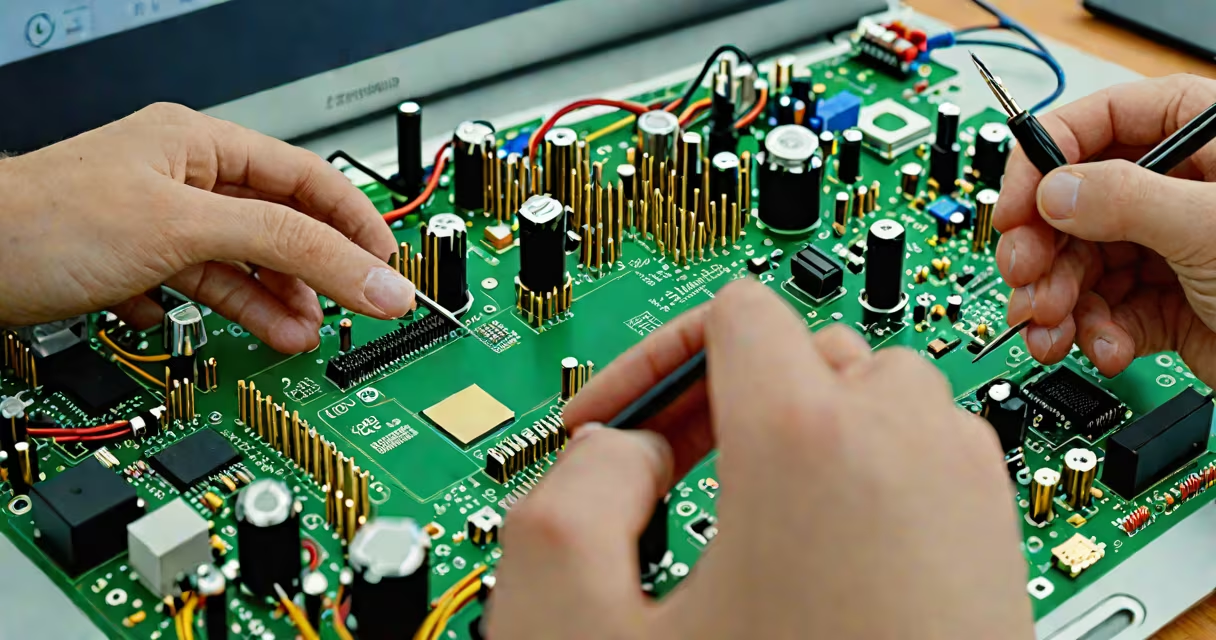
Repair your computer means identifying and fixing technical failures in hardware, software, or system settings that prevent normal operation. This includes diagnosing boot issues, resolving crashes, replacing faulty components, or restoring corrupted data.
When a computer fails to start, runs slowly, freezes unexpectedly, or displays error messages, repair your computer involves isolating the root cause and applying targeted solutions. These can range from simple software resets to physical component replacement.
Repair your computer is not a single action but a structured process: observe symptoms, test components, apply fixes, verify results. It requires basic understanding of systems, access to diagnostic tools, and awareness of risks like data loss or further damage.
The process begins with symptom observation. A computer that won't power on may have a dead battery, failed power supply, or disconnected internal wiring. A system that boots but crashes during startup likely has corrupted drivers or disk errors.
Next, isolate the issue. Use built-in diagnostics: Windows' System File Checker (SFC) scans for missing or damaged system files. macOS's Apple Diagnostics tests memory and storage. Third-party tools like MemTest86 check RAM integrity.
If hardware is suspected, disconnect peripherals and try booting in safe mode. If the system starts, the problem lies in software or driver conflicts. If it still fails, test components individually-swap RAM sticks, reconnect the GPU, or replace the hard drive.
Repairs fall into three categories: software, hardware, and data recovery.
| Type | Common Issues | Tools & Methods | Time Required |
|---|---|---|---|
| Software | Blue Screen of Death, app crashes, slow performance | System Restore, SFC scan, malware removal, OS reinstall | 15-60 minutes |
| Hardware | No display, overheating, fan failure | Reseat cables, clean dust, replace thermal paste, swap parts | 1-4 hours |
| Data Recovery | Accidental deletion, drive failure, ransomware | File recovery software, external drive cloning, professional services | 30 minutes - days |
For example, a laptop that shuts down randomly at 80% battery may have a failing battery or corrupted power management settings. First, run the built-in battery report in Windows: open Command Prompt and enter battery-report.html. The output shows charge cycles and health status. If capacity dropped below 80%, replace the battery. If health is good, reset the power profile via powercfg /restoredefaultschemes.
A non-obvious fact: many users assume a "dead" computer is beyond repair. But 67% of failures stem from loose connections or outdated firmware, not irreparable damage (source: Consumer Reports, 2023).
Repair your computer saves money compared to buying new devices. Replacing a $30 hard drive extends a five-year-old desktop's life by two more years. Fixing a corrupted Windows installation avoids a full OS reinstall and data backup.
It reduces e-waste. The EPA estimates that 60 million electronics were discarded in the U.S. in 2022. Repairing devices keeps them in use longer, lowering environmental impact.
For small businesses, downtime costs $86/hour on average (source: ITIC, 2023). A quick fix to a networked printer or server can prevent lost productivity.
Repair your computer is often mistaken for "reinstalling the OS." While reinstalling can resolve software issues, it erases data and doesn't fix hardware faults. A failing SSD will still fail after a fresh install.
Another confusion: thinking that all problems require professional help. Many issues-like updating drivers, clearing cache, or replacing a keyboard-are solvable with free guides and tools. For example, a frozen cursor can be fixed by pressing Ctrl+Shift+Esc to open Task Manager, ending the Explorer process, then restarting it.
I once repaired a friend's desktop that wouldn't boot. The BIOS showed no hard drive detection. After checking SATA cables and swapping ports, the drive was recognized. The original cable had degraded insulation, causing intermittent signal loss. Replacing it took under ten minutes and cost $5.
Don't confuse repair your computer with upgrading. Upgrading adds performance (e.g., adding RAM or switching to an SSD), while repair restores function. An old machine with a failing motherboard cannot be upgraded-it must be repaired or replaced.
Repair your computer becomes risky when you lack experience with soldering, memory modules, or BIOS settings. Attempting to replace a CPU without proper tools can damage the motherboard.
Final step: document the repair. Note what changed, what tools were used, and when the fix stopped working. This helps track recurring issues and supports warranty claims.