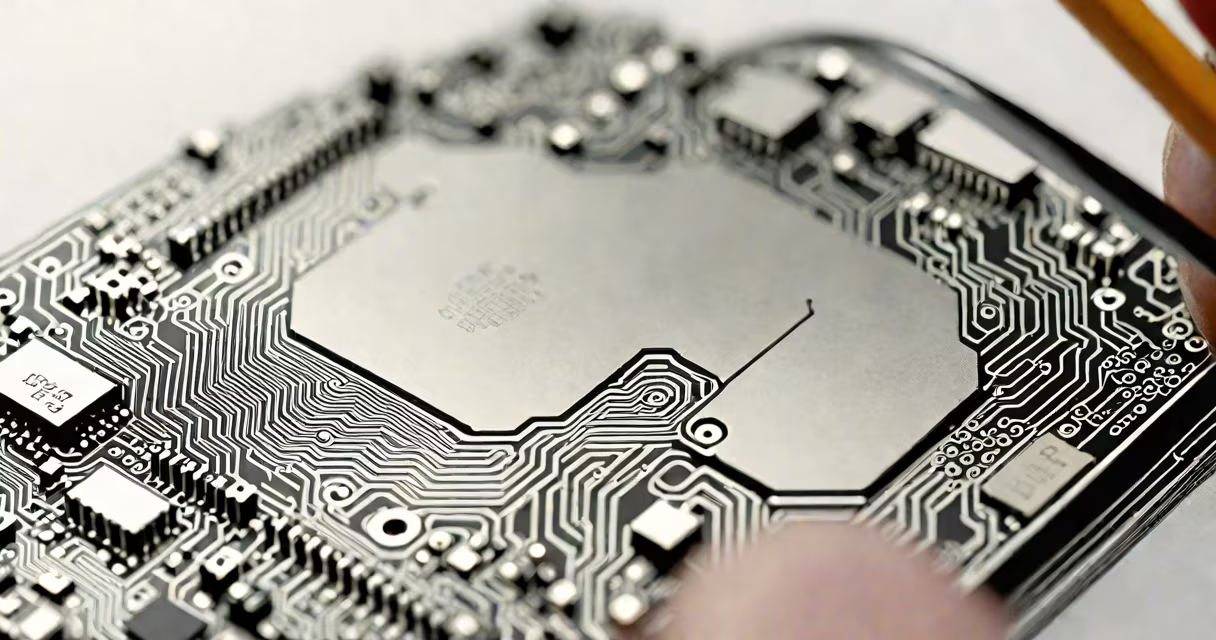
A 64 bit processor is a central processing unit (CPU) designed to handle data in 64-bit chunks, enabling it to access more than 4 gigabytes of RAM and execute complex operations faster than 32-bit processors. This architecture allows for greater memory addressing, improved performance in demanding tasks, and enhanced security features.
The term "64 bit" refers to the width of the data path and the size of the registers used internally by the CPU. A 64-bit processor can process 64 binary digits (bits) at once, compared to a 32-bit processor's 32 bits. This difference directly affects how much memory the system can address and how efficiently it performs mathematical computations.
Modern computers use 64-bit architectures as standard. For example, Intel's Core i7 and AMD's Ryzen series are based on 64-bit instruction sets. These processors outperform older 32-bit models in multitasking, gaming, video editing, and scientific simulations.
At the core, a 64-bit processor uses wider data paths and larger internal registers. This means each register can hold a 64-bit number-up to 18 quintillion (18,446,744,073,709,551,615)-allowing the CPU to manage massive datasets in a single operation. In contrast, a 32-bit processor is limited to 4,294,967,295, which restricts usable memory to around 4 GB.
When running software, the processor fetches instructions from memory, decodes them, and executes them. With 64-bit architecture, the instruction set includes extensions like Intel's x86-64 and AMD's AMD64. These extensions maintain backward compatibility with 32-bit programs while adding new capabilities such as additional general-purpose registers and extended addressing modes.
For example, a 64-bit processor can perform arithmetic on large integers without breaking them into smaller pieces. This reduces the number of steps needed for complex calculations, improving speed in applications like cryptography, physics simulations, and 3D rendering.
There are two dominant 64-bit instruction set architectures used in consumer and enterprise computing:
| Architecture | Developed By | Common Use Cases | Key Features |
|---|---|---|---|
| x86-64 (also called AMD64) | AMD (extended by Intel) | Desktops, laptops, servers | Backward compatible with 32-bit apps, supports up to 256 TB of virtual memory |
| ARM64 (AArch64) | Arm Holdings | Mobile devices, embedded systems, Apple Silicon Macs | Energy efficient, scalable, used in iOS, Android, and macOS |
Intel's implementation of 64-bit computing is known as Intel 64, formerly Extended Memory 64 Technology (EM64T). It extends the x86 instruction set to support 64-bit operations while preserving support for legacy 32-bit software. This allows users to run older applications without recompilation.
Apple's M-series chips, introduced in 2020, use ARM64 architecture. These processors deliver high performance per watt, making them ideal for thin laptops and mobile workstations. The transition from Intel to Apple Silicon was driven by better power efficiency and tighter integration between hardware and software.
64-bit processors are standard in modern desktops, laptops, servers, and mobile devices. They are essential for running current versions of Windows, macOS, Linux, and Android. Without a 64-bit-capable processor, users cannot install or run newer operating systems.
Operating systems like Microsoft Windows 11 require a 64-bit processor to function. The minimum requirement for Windows 11 Home 64-bit is a 1 GHz or faster processor with at least two cores and support for hardware-enforced Data Execution Prevention (DEP). Older 32-bit CPUs do not meet these criteria.
Applications that demand high memory usage benefit from 64-bit architecture. Video editors using Adobe Premiere Pro, developers compiling large codebases in Visual Studio, and data scientists analyzing terabyte-scale datasets all rely on 64-bit systems to avoid memory bottlenecks.
For example, a 32-bit version of Photoshop can only access up to 3 GB of RAM. On a machine with 16 GB of installed memory, the program will not use more than 3 GB, limiting performance. The 64-bit version of Photoshop can use the full 16 GB, resulting in faster rendering and smoother workflow.
Many people assume that a 64-bit processor automatically makes a computer faster. That's not accurate. Speed depends on clock speed, core count, cache size, and thermal design-not just bit width. A 64-bit processor with low clock speed may still be slower than a higher-clocked 32-bit model in basic tasks.
Another misconception is that 64-bit software runs faster on all systems. While 64-bit programs can access more memory and use advanced instructions, they also consume more memory due to larger pointer sizes. A 64-bit application typically uses 25% more RAM than its 32-bit equivalent. This overhead can reduce performance on systems with limited memory.
64-bit processors do not run 32-bit software faster by default. The CPU can emulate 32-bit mode, but performance gains come from the software being compiled for 64-bit, not the processor itself. A 64-bit OS with 32-bit apps runs in compatibility mode, which adds minimal overhead but doesn't improve speed.
I once tested a 2017 MacBook Pro with 16 GB RAM and an Intel Core i7-7600U. Running a 64-bit version of Blender for 3D rendering completed a 10-minute scene in 7 minutes. The 32-bit version took 11 minutes-even though both ran on the same hardware. The difference came from memory access and instruction optimization enabled by 64-bit execution.
To take full advantage of a 64-bit processor, you need a 64-bit operating system and 64-bit drivers. Installing a 32-bit OS on a 64-bit CPU limits memory access and prevents use of advanced features. For example, Windows 10 32-bit edition caps at 4 GB RAM, even if the system has 16 GB installed.
Software must also be compiled for 64-bit to gain benefits. Most major applications now offer 64-bit builds. However, some legacy tools, especially older games or specialized industrial software, may still only provide 32-bit versions.
When choosing a system, verify both the CPU and OS support 64-bit. Check the manufacturer's specifications or use tools like CPU-Z or the System Information app. On Windows, open Command Prompt and run systeminfo | findstr /C:"System Type". If it says "x64-based PC," the system is 64-bit capable.
For users upgrading from older systems, ensure that all peripherals have 64-bit drivers. Some older USB devices or printers may lack 64-bit support, causing installation failures or reduced functionality.
Understanding what is 64 bit processor reveals that it's not just about raw power-it's about scalability, memory access, and long-term compatibility. Modern computing relies on 64-bit architecture as the foundation for performance, security, and innovation.
As software continues to grow in complexity, the limitations of 32-bit systems become increasingly apparent. A 64-bit processor enables systems to scale beyond physical memory constraints and support advanced features like hardware virtualization, secure boot, and encrypted memory regions.