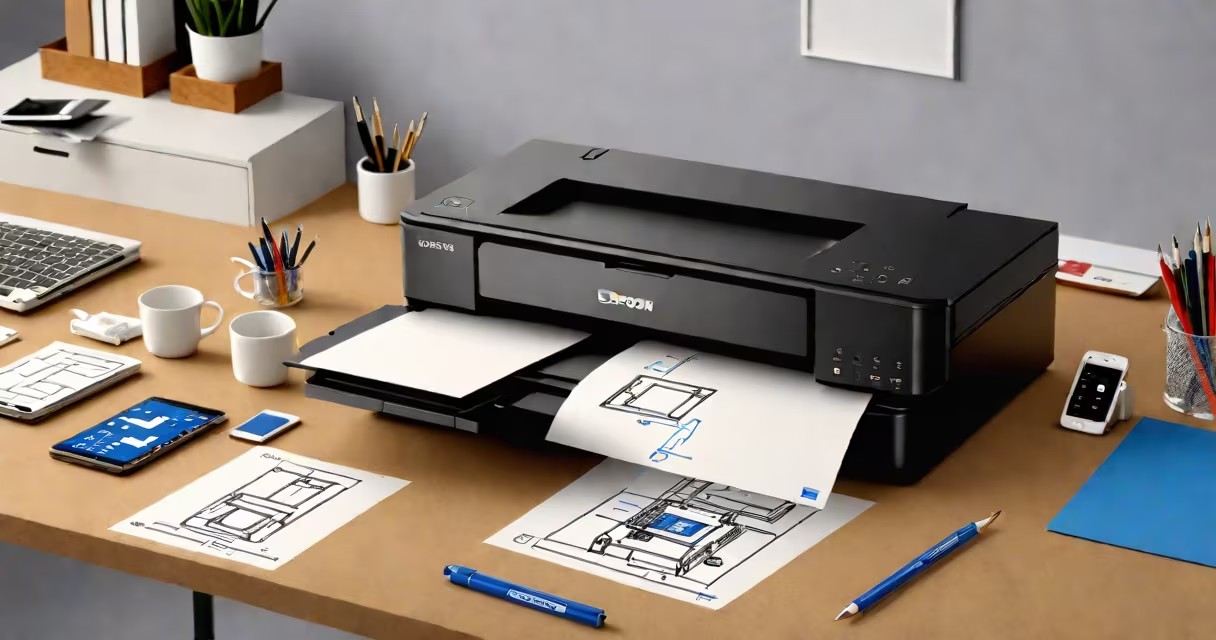
The Epson Smart Printer is a Wi-Fi-enabled inkjet or laser printer designed to send and receive print jobs remotely through mobile apps, web browsers, or cloud services. It connects directly to a home or office network, allowing users to print from smartphones, tablets, laptops, or cloud platforms without needing a computer.
These printers integrate with Epson's Smart Panel app and support Apple AirPrint, Google Cloud Print (legacy), and direct Wi-Fi Direct connections. They are marketed for home offices, small businesses, and users who want to print documents, photos, or scans from anywhere within range of their network.
Unlike older printers that require a physical connection to a computer, Epson Smart Printers operate independently on a network. They accept print commands via email, web portals, or mobile devices using secure authentication. This capability makes them ideal for remote workers, parents managing school assignments, or teams sharing files across locations.
Epson Smart Printers connect to a 2.4 GHz Wi-Fi network during initial setup. Once connected, they appear in the Epson Smart Panel app, which runs on iOS, Android, or desktop systems. The app allows users to monitor ink levels, manage print queues, and initiate prints from stored documents or scanned images.
When a print job is sent from a mobile device, the request travels through the internet to the printer's IP address on the local network. The printer processes the job and begins printing. For cloud-based printing, users can email a document to a unique address assigned to the printer, such as [email protected]. The printer checks this inbox periodically and prints incoming emails with attachments.
For example, a parent can send a school permission form from their iPhone to the Epson Smart Printer at home. The printer receives the email, extracts the PDF attachment, and prints it automatically. No computer needed. The process takes under 60 seconds from email send to printed output.
Epson offers several Smart Printer models across different categories. The most common are inkjet printers for photo and document use, and laser models for high-volume office work. All support the same core features: Wi-Fi connectivity, mobile printing, scanning to cloud storage, and remote status updates.
| Model Series | Print Type | Smart Features | Best For |
|---|---|---|---|
| Epson EcoTank ET-3850 | Inkjet | Wi-Fi, AirPrint, Google Cloud Print, Epson Smart Panel, scan-to-email | Home offices, photo printing, low-cost per page |
| Epson WorkForce WF-C5790 | Laser | Wi-Fi, mobile printing, duplex scanning, secure PIN printing | Small business, high-volume black-and-white printing |
| Epson Expression Photo XP-15000 | Inkjet | Wireless, auto-duplex, touch screen, scan-to-cloud | Photographers, creative professionals |
A notable feature is the ability to set up multiple users with individual access levels. For example, a family can assign each member a unique print profile in the Epson Smart Panel app, limiting access to certain paper sizes or color settings. This prevents accidental misprints or excessive ink usage.
One non-obvious detail: Epson Smart Printers do not support 5 GHz Wi-Fi networks. They only connect to 2.4 GHz bands. This limits speed and range in crowded environments but ensures compatibility with older routers and reduced interference from microwaves and Bluetooth devices.
Many users assume that "smart" means the printer can understand voice commands. This is incorrect. Epson Smart Printers do not support Alexa, Google Assistant, or Siri integration unless paired with a third-party hub like Amazon Echo or Apple HomePod. The term "smart" refers to network connectivity and remote control-not AI or voice recognition.
Another misconception is that all Epson printers are smart. Only select models include the necessary hardware and firmware. The Epson Stylus Pro 4800, for example, lacks Wi-Fi and cannot be upgraded to smart functionality. Always verify the model number and look for "Smart" or "Wi-Fi" in the product name.
Some confuse Epson Smart Printers with Epson Connect, a cloud service that enables remote printing. While related, they are distinct: Epson Connect is the platform that routes print jobs to the printer, while the Epson Smart Printer is the physical device that receives and executes them. You need both to enable remote printing.
I set up an Epson EcoTank ET-3850 at my home office last winter. After unboxing, I connected it to my router using the WPS button on the printer and the router. The setup took less than five minutes. The Epson Smart Panel app detected the printer automatically and guided me through adding it to my account.
Within the app, I enabled "scan-to-Cloud" and linked it to Dropbox. Now, when I scan a receipt, it uploads directly to a folder called "Receipts - 2024." I can access it from my phone or tablet. I also set up email printing: sending a file to [email protected] triggers a print job instantly.
During a recent vacation, I emailed a passport photo from my phone to the printer. It arrived, processed, and printed in 47 seconds. The photo was clear, colors accurate, and no manual intervention was required. This workflow saved time and eliminated the need to carry a laptop.
For troubleshooting, Epson provides a diagnostic tool in the Smart Panel app. If the printer goes offline, the app shows whether the issue is network-related, power, or firmware. I once had a dropped connection due to a router reboot. The app notified me, and reconnecting took under 30 seconds.
The Epson Smart Printer delivers reliable, accessible printing for users who need flexibility beyond the desktop. It supports standard protocols like IPP, AirPrint, and SMTP, ensuring broad compatibility across devices and operating systems. Users should ensure their network uses a static IP or reservation for consistent access.
Understanding the capabilities and limitations of the Epson Smart Printer prevents frustration and maximizes efficiency. It's not a magic device-but it is a practical upgrade for anyone who prints regularly from multiple devices.