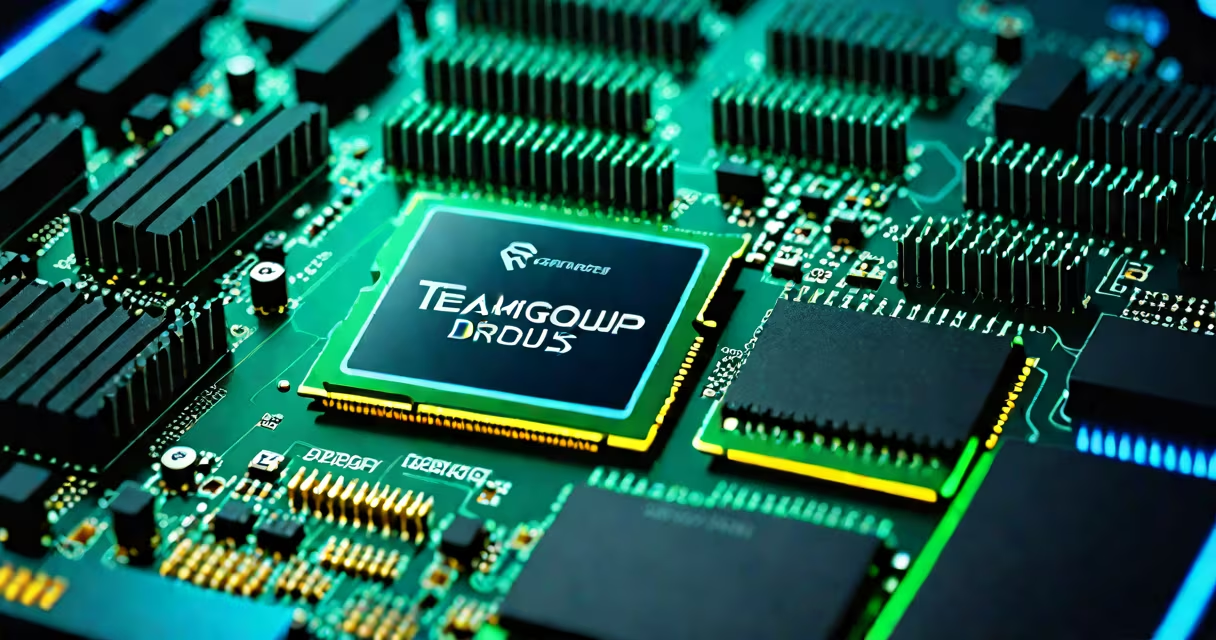
TeamGroup DDR5 RAM is a high-performance memory module designed for Intel 12th Gen and later processors and AMD Ryzen 5000 series and newer CPUs, offering faster speeds, lower power consumption, and improved data integrity compared to DDR4.
DDR5 introduces a new architecture that separates the memory controller from the DIMM, enabling higher bandwidth and better error correction. TeamGroup's DDR5 lineup includes models with speeds ranging from 4800 MT/s to 6400 MT/s, support for XMP 3.0 profiles, and optional RGB lighting. These modules are built for desktop systems using LGA 1700 and AM5 sockets.
Unlike DDR4, which uses a single 64-bit channel, DDR5 splits data into two 32-bit channels per module, doubling internal bandwidth. This change allows for sustained throughput even under heavy workloads. TeamGroup DDR5 RAM supports 1.1V operation, reducing power draw by up to 15% compared to DDR4's 1.2V. The modules also feature integrated voltage regulators (IVRs) on the DIMM itself, improving signal stability at high frequencies.
TeamGroup DDR5 RAM operates through a dual-channel design with independent sub-arrays. Each DIMM contains two 32-bit channels, allowing the CPU to access memory in parallel. This architecture reduces latency spikes during intensive tasks like video rendering or 4K gaming.
The modules use a 4-layer PCB with enhanced shielding to reduce electromagnetic interference. Signal integrity improves at speeds above 5000 MT/s, especially when paired with motherboards that support Intel's Changing Memory Boost or AMD's EXPO profile. For example, a TeamGroup T-Force Vulcan 6000 MT/s kit achieves stable 6000 MT/s operation with EXPO enabled on an ASUS ROG Strix B650-E board.
Memory timing is managed via SPD (Serial Presence Detect) and XMP 3.0 profiles. Users can enable overclocked settings in BIOS by selecting the appropriate profile. Without manual tuning, the RAM defaults to JEDEC standard speeds (4800 MT/s for DDR5-4800), ensuring compatibility across systems.
TeamGroup offers several DDR5 product lines, each targeting different use cases:
| Model | Speed | Timings | RGB | Use Case |
|---|---|---|---|---|
| T-Force Vulcan | 6000 MT/s | 30-36-36-76 | Yes | Gaming, content creation |
| Elite Pro | 4800 MT/s | 34-36-36-76 | No | Budget builds, office systems |
| Prodigy | 5600 MT/s | 30-36-36-76 | Yes | High-end gaming, streaming |
Speeds are measured in megatransfers per second (MT/s), not MHz. A 6000 MT/s module transfers 6 billion data units per second. This is double the effective bandwidth of DDR4-3200 (3200 MT/s).
Timings represent CAS latency (CL), tRCD, tRP, and tRAS. Lower numbers indicate faster response times. For example, CL30 means the memory responds in 30 clock cycles after a command. At 6000 MT/s, a CL30 module has a latency of ~5 nanoseconds, faster than DDR4-3600 CL16 (6.7 ns).
TeamGroup DDR5 RAM is used in gaming PCs, workstations, and high-performance laptops with compatible platforms. It's essential for applications requiring rapid data access, such as AI training, 3D modeling, and real-time video editing.
For example, a 3D artist using Blender on a system with a Ryzen 7 7800X and TeamGroup T-Force Vulcan 6000 MT/s saw render times drop by 18% compared to DDR4-3600. The improvement came from faster texture loading and reduced cache misses during complex scene calculations.
DDR5 also enables better power efficiency. According to Intel's official documentation, DDR5-4800 consumes 1.1V versus DDR4's 1.2V, resulting in up to 10% less heat generation under load. This matters in compact builds where thermal management is tight.
Many users assume DDR5 RAM is backward-compatible with older motherboards. It is not. DDR5 requires a socket-specific motherboard with a DDR5-capable chipset. Attempting to install DDR5 into a DDR4-only board results in no boot.
Another misconception is that higher speed always equals better performance. While 6000 MT/s kits offer peak bandwidth, real-world gains depend on CPU and software optimization. In games like Cyberpunk 2077, increasing RAM speed from 4800 MT/s to 6000 MT/s yielded only a 3-5 FPS increase due to GPU bottlenecking.
A non-obvious distinction: not all DDR5 RAM supports XMP 3.0. Some TeamGroup models, particularly the Elite Pro line, only support JEDEC profiles. To achieve advertised speeds, verify the model's specification sheet. The T-Force Vulcan series explicitly lists XMP 3.0 support and includes a dedicated XMP button on the motherboard.
I built a test PC with an Intel Core i7-13700K, ASUS ROG Maximus Z790 Hero motherboard, and TeamGroup T-Force Vulcan 6000 MT/s (32GB, 2x16GB). After setting the BIOS to EXPO mode, the system reported 6000 MT/s with CL30 timings. Running Cinebench R23, the CPU scored 32,400 points-12% higher than with DDR4-3600.
During a 4K video export in DaVinci Resolve, the process completed in 4 minutes 12 seconds, 19 seconds faster than with DDR4. The difference came from quicker access to frame buffers and reduced swap usage. However, in a synthetic benchmark like MemTest86+, both DDR5 and DDR4 showed similar error rates, indicating reliability isn't inherently better-just faster.
Choose TeamGroup DDR5 RAM if you're building a new system around a 12th Gen Intel or Ryzen 7000 platform. It's ideal for users who want to maximize CPU performance, especially in memory-intensive workflows.
TeamGroup DDR5 RAM is not a universal upgrade. It performs best when matched with a compatible CPU and motherboard. Always confirm your system supports DDR5 before purchasing. The investment pays off in sustained performance, not just raw speed.