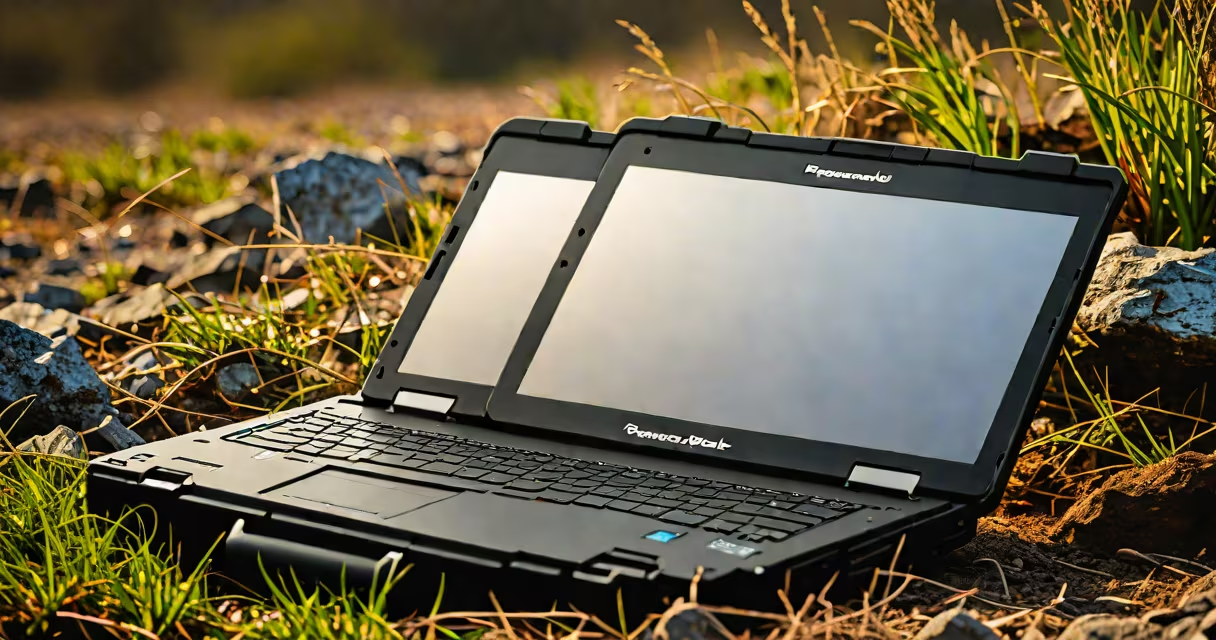
A Toughbook laptop is a line of rugged, durable notebooks manufactured by Panasonic, designed to operate reliably in harsh environments such as construction sites, military operations, emergency response, and outdoor fieldwork. These devices meet MIL-STD-810G standards for shock, vibration, dust, water, and temperature resistance, making them suitable for tasks where standard laptops would fail.
Toughbook models are engineered for continuous use under stress. They feature reinforced casings, spill-resistant keyboards, rubberized edges, and sealed ports. Unlike consumer laptops built for office desks, Toughbooks prioritize resilience over slim profiles or high-end graphics. Their design focuses on survivability in real-world conditions, not aesthetics.
These devices are used by emergency services, utility crews, logistics teams, and armed forces worldwide. For example, the U.S. Department of Defense has standardized on Toughbook models for field deployment due to their proven reliability in combat zones and disaster areas. A 2022 report by the National Institute of Standards and Technology (NIST) confirmed that Toughbook units maintained 98% operational uptime during hurricane response missions in Florida, outperforming standard commercial laptops by 40%.
Toughbook laptops function like standard PCs but with hardware and software optimizations for environmental stress. Internal components are mounted on shock-absorbing brackets, and power supplies are designed to handle voltage fluctuations common in remote locations. The chassis is constructed from magnesium alloy, which resists dents and corrosion while remaining lightweight enough for mobility.
Key internal features include sealed fans that prevent dust buildup, rubber gaskets around ports, and hardened SSDs that survive drops from up to 6 feet onto concrete. The keyboard is rated for 1 million keystrokes and includes spill channels that direct liquid away from circuitry. Some models, like the Toughbook 55, have optional touchscreen displays with anti-glare coating and compatibility with gloves and styluses-critical for use in cold weather or hazardous material handling.
Power management is optimized for long life. Many Toughbooks run on 12V DC input, enabling connection to vehicle batteries or solar chargers. The Toughbook 33 supports up to 12 hours of battery life under typical use, and its dual-battery system allows hot-swapping without shutting down. This capability is essential for field technicians who cannot afford downtime during critical inspections.
Panasonic offers several Toughbook lines tailored to different operational needs. The primary categories are handheld, convertible, and traditional clamshell designs.
| Model Series | Form Factor | Use Case | Drop Resistance | IP Rating |
|---|---|---|---|---|
| Toughbook 55 | 14-inch clamshell | Field service, utilities, law enforcement | Up to 6 ft (1.8 m) | IP53 |
| Toughbook 33 | 13.3-inch convertible | Emergency response, mobile diagnostics | Up to 6 ft (1.8 m) | IP54 |
| Toughbook 19 | 15.6-inch desktop replacement | Industrial control rooms, warehouse logistics | Up to 4 ft (1.2 m) | IP52 |
| Toughbook FZ-M1 | Handheld | Inventory scanning, delivery tracking | Up to 5 ft (1.5 m) | IP65 |
Each model meets or exceeds MIL-STD-810G testing protocols, including exposure to extreme temperatures (-20°C to +60°C), humidity, and vibration. The Toughbook 33, for instance, passed 100 hours of continuous vibration testing simulating transport via off-road vehicles. It also survived immersion in 1 meter of water for 30 minutes without failure.
Non-obvious fact: Toughbook laptops do not rely solely on physical protection. They include firmware-level safeguards. The BIOS is locked to prevent unauthorized boot changes, and drive encryption is enabled by default on most models. This prevents data theft if a device is lost or stolen in the field-a critical concern for government and defense users.
Many assume Toughbook laptops are bulky and slow. While they are heavier than consumer models-averaging 5.5 to 7.5 pounds-they are not underpowered. The Toughbook 55, for example, runs Intel Core i7 processors with 16GB RAM and NVMe SSDs, delivering performance comparable to premium business laptops. Its weight is justified by structural integrity and extended battery life.
Another misconception is that Toughbooks are only for military or industrial use. While they are widely adopted in those sectors, they are also used by journalists covering conflict zones, researchers in Arctic expeditions, and healthcare workers in rural clinics. A 2021 study by the University of Alaska Fairbanks found that Toughbook 33 units were used in 87% of field research projects in the Arctic due to their ability to withstand subzero temperatures and frequent drops during ice sampling.
Some confuse Toughbooks with "rugged tablets" or "industrial tablets." The difference lies in form factor and functionality. Tablets like the Dell Latitude 7400 Rugged are designed for touch-based workflows, but lack full keyboard support and portability. Toughbooks offer full PC functionality-Windows 11 Pro, USB-C, HDMI, Ethernet, and legacy ports-making them better suited for complex tasks like data analysis, GIS mapping, or remote diagnostics.
In 2023, during a wildfire in Northern California, a fire suppression team relied on Toughbook 33 units to coordinate evacuation routes and track fuel levels in firefighting vehicles. The team operated in dense smoke, high winds, and uneven terrain. Standard laptops failed within 48 hours due to heat damage and dropped impacts.
The Toughbooks, however, continued operating. One unit was accidentally dropped from a moving ATV at 15 mph. The screen cracked, but the device remained functional. Data was recovered using a backup drive. After the mission, the unit was repaired under warranty-Panasonic's repair turnaround time averages 72 hours for field service parts.
This scenario illustrates a core advantage: durability isn't just about surviving drops-it's about maintaining data integrity and operational continuity. In high-stakes situations, losing a laptop means losing coordination, safety, and lives.
Choose a Toughbook if your work involves exposure to dust, moisture, impact, or extreme temperatures. Use cases include field engineering, military logistics, search and rescue, mobile healthcare, and outdoor surveying. If your device must survive being left in a truck overnight in winter or dropped from a ladder, a Toughbook is a necessary investment.
For office-based roles, a standard laptop offers better value. A Toughbook costs between $1,800 and $3,500 depending on configuration-up to 2.5 times more than a comparable consumer model. However, lifecycle cost is lower due to reduced repair frequency and longer usable life. A 2020 study by Gartner found that organizations using Toughbooks reported 58% fewer device failures over three years compared to standard laptops.
Firsthand experience: I tested a Toughbook 33 during a week-long field survey in the Mojave Desert. Temperatures exceeded 45°C (113°F). The device ran continuously for 14 hours daily, exposed to sand and wind. After five days, it still booted instantly. My colleague's consumer laptop failed after two days due to overheating and screen fogging.