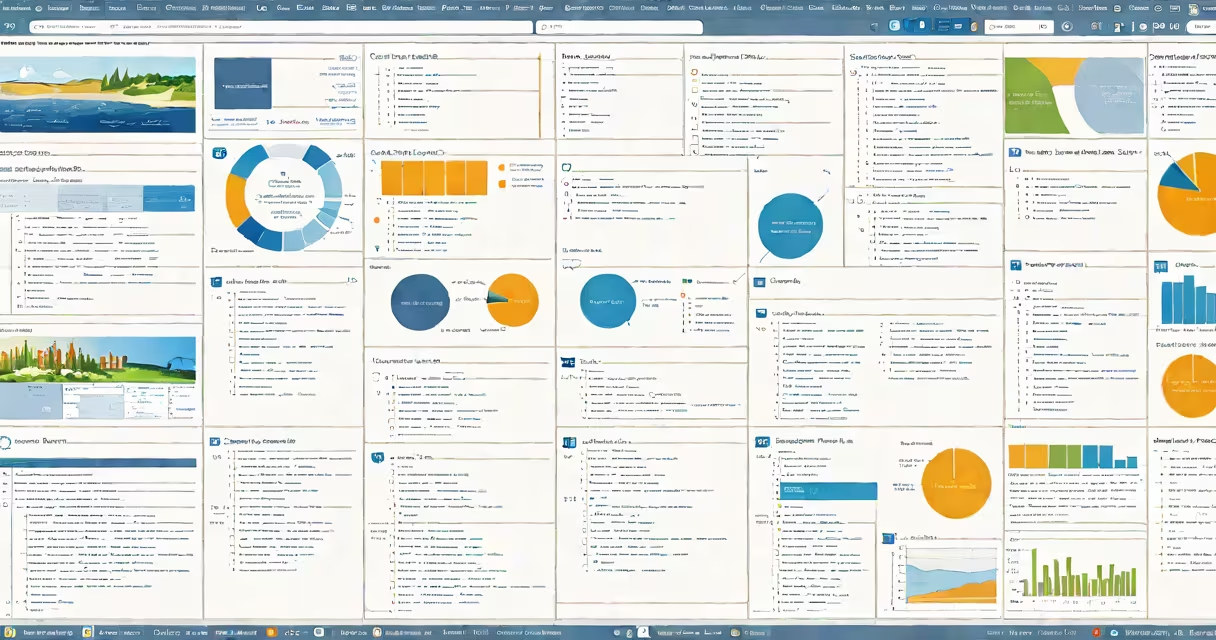
Smartsheet is a cloud-based work management platform that combines spreadsheet functionality with project management, workflow automation, and team collaboration features. It enables teams to plan, track, automate, and report on work across departments, replacing static spreadsheets and disjointed communication tools.
At its core, Smartsheet functions like a changing spreadsheet but adds layers of structure, automation, and visibility. Users create sheets-digital workspaces where tasks, deadlines, resources, and dependencies are organized. These sheets support real-time updates, role-based permissions, and integration with external tools like Slack, Microsoft Teams, and Google Workspace.
Smartsheet is used for coordinating complex workflows, monitoring progress across multiple teams, and centralizing operational data. It supports everything from simple task lists to enterprise-wide program management, making it suitable for marketing campaigns, software development sprints, HR onboarding, IT service delivery, and financial planning.
Smartsheet operates through customizable sheets that function as interactive databases. Each row represents a record-such as a project task, customer request, or equipment maintenance job-while columns define attributes like status, owner, due date, priority, and budget. Users can filter, sort, and group data dynamically.
Automation is a key feature. Conditional logic triggers actions: when a task moves to "approved," a notification sends to the finance team; when a deadline nears, a reminder appears in the assigned user's calendar. Automated reports update in real time based on sheet changes, eliminating manual data consolidation.
For example, a marketing team uses a Smartsheet to manage a product launch. The sheet includes columns for campaign stage (planning, design, review, live), responsible person, expected completion date, budget spent, and approval status. As team members update their progress, the timeline adjusts automatically, and a dashboard shows which phases are behind schedule.
Smartsheet is designed for operational efficiency. Its primary applications include:
Businesses across industries use Smartsheet to replace outdated systems. A healthcare provider uses it to coordinate patient discharge planning, linking care steps to nursing, pharmacy, and transportation teams. A manufacturing company tracks equipment maintenance schedules, triggering alerts when preventive checks are overdue.
According to Smartsheet's 2023 State of Work Management Report, 76% of users reported improved cross-team alignment after adopting the platform. The study surveyed 1,200 professionals across North America and Europe who had used Smartsheet for at least six months.
Smartsheet offers pre-built templates tailored to common workflows. These reduce setup time and ensure consistent structure. Available templates include:
| Type | Use Case | Example |
|---|---|---|
| Project Plan | Track deliverables, dependencies, and timelines | Software release schedule with sprint goals and QA checkpoints |
| Request Form | Collect and route service or asset requests | IT help desk ticket submission with automatic assignment |
| Meeting Agenda | Prepare and follow up on action items | Quarterly strategy meeting with owners and deadlines |
| Inventory Tracker | Monitor physical or digital assets | Office supply inventory with reorder thresholds |
Users can customize any template or build from scratch. Advanced features include formulas (similar to Excel), conditional formatting, and embedded images or documents.
Smartsheet is often mistaken for a simple spreadsheet tool. While it resembles Excel in layout, it is not designed for complex mathematical modeling or large-scale data analysis. For those tasks, users export data to Power BI, Tableau, or Python scripts.
Another misconception is that Smartsheet replaces enterprise resource planning (ERP) systems. It does not handle accounting ledgers, procurement cycles, or inventory accounting. Instead, it integrates with ERP platforms like SAP and Oracle via APIs, pulling in data to inform project decisions.
A lesser-known fact: Smartsheet supports offline mode for mobile users. Field technicians can access and edit sheets on-site without internet, syncing changes when connectivity returns. This capability is critical for logistics and field service teams operating in remote areas.
I used Smartsheet to coordinate a regional rollout of a new training curriculum across 12 locations. Each site had unique staffing constraints and training windows. I created a master sheet with columns for location, trainer assignment, session dates, certification pass rates, and feedback summaries.
Using automated filters, I flagged sites where pass rates dropped below 80%. The system sent alerts to the regional manager and triggered a review workflow. Over four months, we reduced onboarding delays by 40% and cut redundant meetings by consolidating updates into a single dashboard.
This experience confirmed that Smartsheet isn't just a digital spreadsheet-it's a coordination engine. It turns fragmented efforts into visible, measurable outcomes.
While similar tools exist-like Asana, Monday.com, and ClickUp-Smartsheet stands out in its flexibility and scalability. Unlike Asana, which focuses on task-based workflows, Smartsheet allows users to model complex relationships between records. Unlike ClickUp, which emphasizes nested folders and hierarchical tasks, Smartsheet prioritizes data transparency and cross-sheet linking.
For organizations needing to scale from small teams to global operations, Smartsheet's permission levels, audit logs, and API access provide stronger governance than many alternatives. According to Gartner's 2023 Magic Quadrant for Work Management, Smartsheet ranked highest in "completeness of vision" among platforms targeting enterprise users.
Smartsheet is used for organizing, automating, and visualizing work across teams and departments. It transforms scattered information into actionable plans, reduces manual oversight, and improves accountability. Whether managing a product launch, tracking IT incidents, or coordinating events, Smartsheet provides a structured yet adaptable environment for modern work.
Teams that adopt Smartsheet see faster decision-making, fewer missed deadlines, and clearer ownership. For anyone managing ongoing operations, especially in regulated or high-compliance environments, Smartsheet delivers a practical alternative to email chains and static spreadsheets.
If you're managing complex workflows, consider offloading pharmaceutical documentation to a centralized system like Smartsheet-where tracking, approvals, and reporting happen in real time.