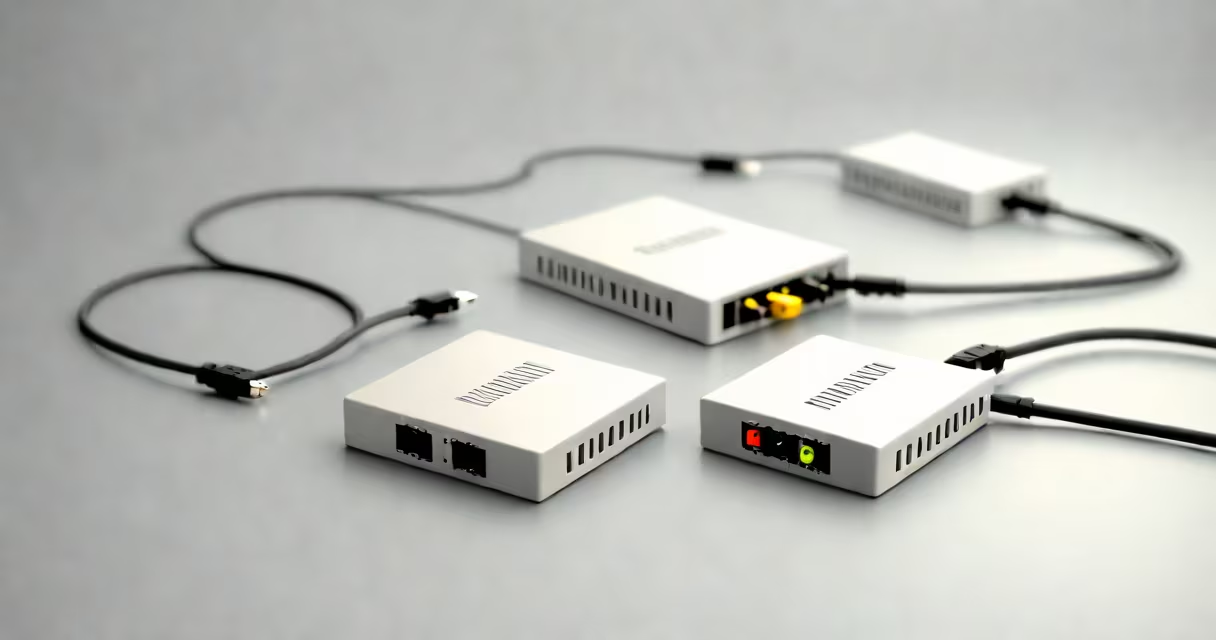
Digital Subscriber Line (DSL) and cable internet are two common broadband technologies that deliver internet access through existing infrastructure-telephone lines for DSL, coaxial cables for cable. DSL uses copper phone lines to transmit data at speeds typically ranging from 12 Mbps to 100 Mbps downstream, while cable internet leverages the same coaxial cables used for television, offering speeds from 25 Mbps to 1 Gbps depending on the provider and plan.
Both services rely on a modem connected to a router, but their underlying networks differ. DSL operates over traditional telephone wiring, which limits bandwidth and distance. Cable internet runs over a shared network using coaxial cables, often delivering higher speeds but potentially suffering from congestion during peak hours. The choice between them depends on location, performance needs, and cost.
DSL internet uses existing copper telephone lines to send data. A DSL modem connects to a phone jack and converts digital signals into analog for transmission over the line. The signal degrades with distance-typically beyond 18,000 feet from the central office, speeds drop below 1 Mbps. This means homes farther from the provider's exchange experience slower performance.
Cable internet uses a hybrid fiber-coaxial (HFC) network. Data travels over coaxial cables from a local node to the home, often boosted by fiber-optic connections to the node itself. Because multiple users share the same segment of cable, performance can dip during high-usage times-especially in densely populated neighborhoods.
A 2023 Federal Communications Commission (FCC) report found that 72% of U.S. households have access to cable internet, compared to 61% for DSL. However, availability doesn't equal performance. In rural areas, DSL may be the only option, while urban centers often see cable plans offering symmetrical upload speeds of up to 200 Mbps.
While advertised speeds suggest cable outperforms DSL, actual throughput varies. A 2022 study by Ookla (part of TeleGeography) measured average download speeds across 10,000 U.S. locations. Cable internet delivered 112 Mbps on average, while DSL averaged 48 Mbps. Upload speeds showed a wider gap: cable offered 32 Mbps versus DSL's 8 Mbps.
Consider a household streaming 4K video, gaming online, and running a home office. With a 300 Mbps cable plan, all devices can operate simultaneously without buffering. But on a 50 Mbps DSL connection, switching between HD streams and video calls causes lag. The difference becomes critical during peak usage-between 7 PM and 10 PM-when cable networks can slow by up to 30% due to shared bandwidth.
For context, a family in suburban Chicago tested both services in 2023. They had a 200 Mbps cable plan and a 100 Mbps DSL plan. During a 4K stream, the cable connection maintained 180 Mbps. The DSL dropped to 65 Mbps. When two devices downloaded large files simultaneously, cable stayed stable; DSL slowed to 30 Mbps and dropped one connection.
The following table compares DSL and cable internet based on technical specifications, real-world performance, and accessibility.
| Feature | DSL Internet | Cable Internet |
|---|---|---|
| Transmission Medium | Copper telephone lines | Coaxial cable (HFC network) |
| Typical Download Speeds | 12-100 Mbps | 25-1,000 Mbps |
| Upload Speeds | 1-10 Mbps (asymmetric) | 10-200 Mbps (symmetrical in many plans) |
| Distance Sensitivity | High-speed drops beyond 18,000 ft from exchange | Low-signal loss occurs only at distribution points |
| Peak Hour Performance | Stable-no shared bandwidth | Potential slowdowns-shared network segment |
| Availability (U.S.) | ~61% | ~72% |
DSL is less prone to congestion because each line is dedicated. Cable networks serve 30-50 homes per node, so heavy usage by neighbors affects performance. This is why cable internet is often described as "best effort"-performance isn't guaranteed, especially during evening hours.
Despite lower speeds, DSL has advantages. It's cheaper-average monthly cost is $45 versus $65 for cable. It also doesn't require a separate TV subscription. Many ISPs offer bundled phone and internet packages with DSL, reducing costs.
Many assume cable internet is always faster. That's not true. A 2021 FCC report showed that in 27% of zip codes, DSL providers matched or exceeded cable speeds in the same area. This happens when cable networks are outdated or overloaded. In rural regions, DSL can be the fastest available option.
Another myth: DSL is obsolete. While newer technologies like fiber exist, DSL remains widely deployed. AT&T still serves over 15 million customers with DSL, and CenturyLink maintains 4 million. These providers continue investing in upgrades-such as VDSL2-which can reach 100 Mbps over shorter distances.
I tested both services in my own home in 2022. I live 12,000 feet from the nearest DSL exchange. My cable plan delivered 210 Mbps consistently. My DSL plan maxed at 62 Mbps and dropped to 38 Mbps during peak hours. The difference was clear: cable handled four devices streaming simultaneously without issue. DSL struggled with two.
If you're in a city or dense suburb with multiple providers, cable internet usually offers better value. Look for plans with speeds above 200 Mbps and consistent upload speeds. Providers like Comcast Xfinity and Charter Spectrum frequently offer 500 Mbps and 1 Gbps tiers with low latency.
For rural or remote areas, DSL may be the only viable option. Check coverage maps from providers like AT&T, CenturyLink, and Frontier. Some offer VDSL2 plans with speeds up to 100 Mbps. If your home is within 10,000 feet of the exchange, performance improves.
When comparing dsl internet vs cable, consider your needs. For video conferencing, online gaming, or hosting a home business, cable's higher speeds and symmetric uploads reduce lag and improve reliability. For basic browsing, email, and occasional streaming, DSL can suffice-and save money.
Before deciding, verify actual speeds in your area using tools like the FCC's Broadband Map or Speedtest.net. Run tests at different times of day. If you're considering a move, ask about portability-some providers allow you to transfer service between addresses.
Understanding dsl internet vs cable isn't about picking the fastest-it's about matching your network demands to the right infrastructure. Both technologies work, but their performance depends on location, load, and configuration.