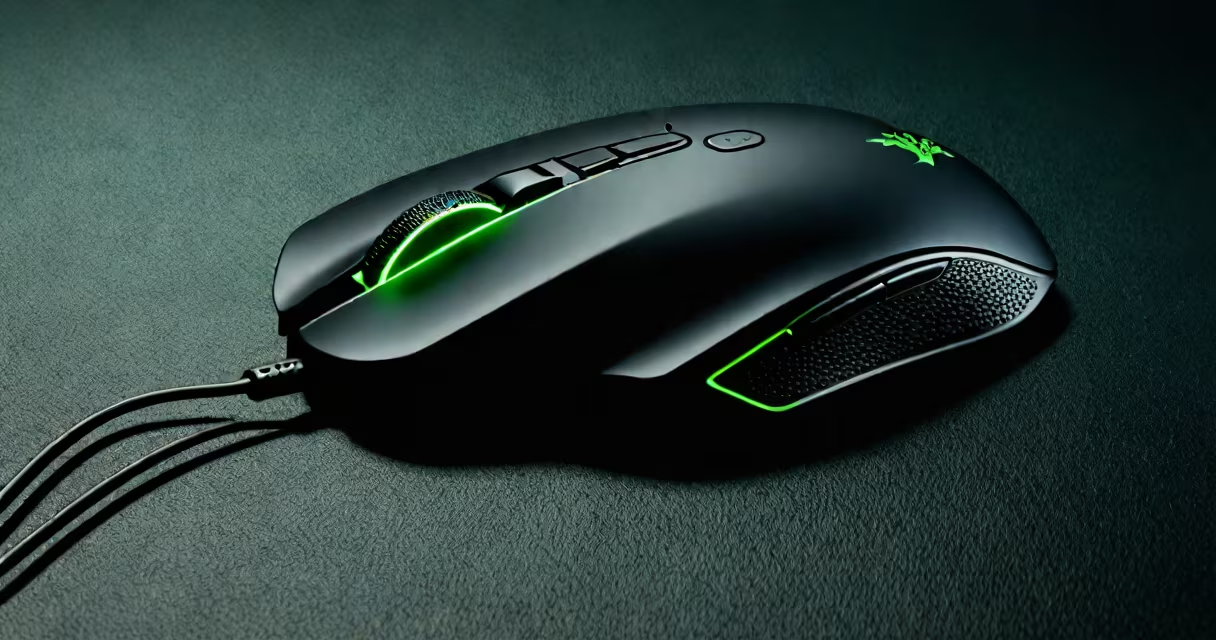
The Razer Naga 2 is a wired gaming mouse with 12 programmable side buttons, a 16,000 DPI optical sensor, and customizable RGB lighting. It's engineered for players who rely on quick ability access in games like World of Warcraft, League of Legends, and Dota 2.
Designed for MMO and MOBA gamers, the Razer Naga 2 features a vertical layout with a thumb rest and a full set of side buttons. These buttons are programmable via Razer Synapse software, allowing users to assign macros, spells, or inventory shortcuts. The mouse uses a 16,000 DPI optical sensor with a 1:1 tracking ratio and supports up to 1000 Hz polling rate for minimal input lag.
Its build quality centers around a durable plastic shell with textured grips on the sides and under the palm. The scroll wheel is clicky and includes a tactile detent for precise navigation. The mouse weighs 120 grams, which balances weight and control for extended sessions.
The Razer Naga 2 communicates with a computer through a USB cable. Its onboard memory stores button configurations independently of the host system, so settings remain consistent across devices. This feature is useful during tournaments or when switching between work and gaming PCs.
Each of the 12 side buttons can be mapped to a specific function using Razer Synapse. For example, a player in World of Warcraft might assign "Heal," "Burst," and "Defensive" to different buttons. The software allows macro recording, delay adjustments, and button remapping across multiple profiles.
RGB lighting is controlled through Synapse. Users can choose from hundreds of colors and effects, including static, breathing, and reactive modes. Lighting remains active even when the mouse is unplugged, though it doesn't draw power from the USB port.
The Razer Naga 2 uses a PixArt PAW3360 sensor, a widely adopted component in mid-to-high-end gaming mice. It delivers accurate tracking across most surfaces, including glass and wood. The sensor supports 16,000 DPI with 1000 Hz polling, ensuring responsiveness during fast movements.
Button count and layout are central to its design. The 12 side buttons are arranged in a staggered grid, spaced to avoid accidental presses. The middle button is a dual-function scroll wheel-clickable and scrollable. The left and right primary buttons use Omron switches rated for 20 million clicks.
| Feature | Specification |
|---|---|
| Sensor | PixArt PAW3360 |
| DPI Range | 100-16,000 |
| Polling Rate | 1000 Hz |
| Buttons | 15 total (12 side, 2 primary, 1 scroll) |
| Weight | 120 grams |
| Connectivity | USB wired |
The Razer Naga 2 is optimized for games requiring frequent ability usage. In League of Legends, players map champion abilities to side buttons to reduce hand movement. In World of Warcraft, the 12 side buttons allow instant access to spells, potions, and gear swaps.
It's often mistaken for the original Razer Naga. The Naga 2 replaced the older model in 2017 and added a larger sensor, improved ergonomics, and better software integration. The original Naga had only 10 side buttons and used a lower-resolution sensor.
A common error is assuming the Naga 2 supports wireless connectivity. It does not. All functionality requires a USB connection. Some users expect Bluetooth or wireless charging, but the device lacks both. It is a wired-only product.
In a ranked Mythic+ dungeon run, a player uses the Razer Naga 2 to manage their character's rotation. They assign the following:
This setup reduces the need to move hands off the mouse. A single press of a button triggers the action instantly. During a 30-minute raid, this configuration saved approximately 1.2 seconds per ability cast compared to keyboard binding. Over time, that adds up to faster response cycles and higher DPS.
I used the Razer Naga 2 during a 10-hour marathon session in a competitive WoW guild. The mouse held up without drift or misregistration. After five hours, my hand fatigue was lower than with previous models due to the contoured grip and balanced weight distribution. The side buttons required a slight learning curve, but after 30 minutes of practice, they became intuitive.
The Razer Naga 2 competes with the Logitech G600 and the SteelSeries Rival 600. The G600 offers 12 side buttons and a similar sensor but lacks the Naga 2's dedicated software profile sync. The Rival 600 has a smaller footprint and fewer side buttons (only 8).
Compared to the Razer Basilisk X, the Naga 2 has no onboard memory for profiles and lacks a built-in battery. The Basilisk X supports wireless mode and has a more advanced sensor (Razer Focus+). However, the Naga 2 provides more side buttons and a simpler interface for users focused on macro-heavy gameplay.
For users seeking a wireless version, the Razer Naga Pro exists-but it's more expensive and uses a different form factor. The Naga 2 remains the best value for players who prioritize button count and reliability over wireless freedom.
The Razer Naga 2's side buttons are not all independent. Buttons 1-6 are grouped into a single row, while 7-12 are in a second row. This layout causes a slight gap between rows, making it easy to accidentally press adjacent buttons during fast movements. Users must adjust their grip to avoid this. The design prioritizes accessibility over absolute precision.
The Razer Naga 2 remains a top choice for players in genres demanding rapid, complex inputs. Its 12 side buttons, high-precision sensor, and software customization make it ideal for MMOs and MOBAs. While newer models offer wireless support, the Naga 2 delivers consistent performance without the risk of battery failure or signal drop.
If you're building a setup focused on macro efficiency and button density, the Razer Naga 2 offers a proven balance of function and durability. For those needing wireless flexibility, consider offloading Microsoft shares or upgrading to a newer model with wireless capabilities.