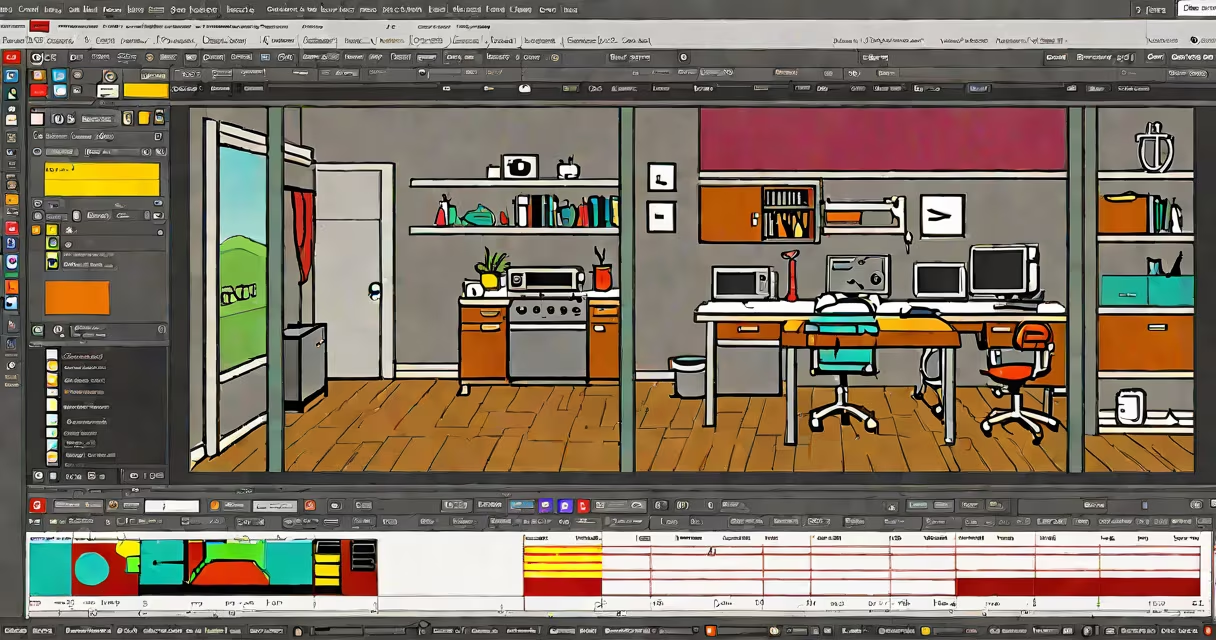
Adobe Animate CC online is a browser-accessible version of Adobe's vector animation and interactive content creation software, designed for real-time editing, collaboration, and deployment of animations and web-based media without requiring a desktop installation.
Unlike the full desktop application, Adobe Animate CC online runs entirely in the web browser through Adobe's cloud infrastructure. It supports vector graphics, frame-by-frame animation, and ActionScript scripting, enabling users to create interactive content such as animated banners, microsites, and educational modules. Access is granted via Adobe ID and requires an active subscription to Adobe Creative Cloud.
The core functionality centers around a timeline-based interface similar to the desktop version. Users can draw shapes using the Pen and Pencil tools, apply gradients and fills, animate objects via keyframes, and export projects as HTML5 Canvas, WebGL, or video formats. All edits are saved automatically to Adobe's cloud storage, allowing smooth switching between devices.
Adobe Animate CC online operates through a secure connection to Adobe's servers. When you open the app via the Adobe website or Creative Cloud desktop app, it loads your project from cloud storage. Changes are synchronized in real time, making it suitable for team workflows where multiple editors work on the same file.
Project files are stored in the .fla format but are rendered and edited in the browser. This means complex scripts or large assets may load slower depending on internet speed. Performance is optimized for moderate-sized projects-typically under 500 KB in size for smooth interaction.
For example, a designer working on a 30-second animated explainer video for a client can start editing on a tablet during a meeting, then continue on a desktop at home. The file updates instantly across devices, and the client can view progress in real time through a shared link.
Adobe Animate CC online includes essential tools for animation production: timeline editor, symbol library, motion tweening, and basic scripting support. It integrates with Adobe Stock for asset sourcing and allows direct publishing to platforms like Adobe Experience Manager or social media.
However, it lacks advanced features available in the desktop version. Full ActionScript 3.0 debugging, custom extension development, and integration with external libraries are not supported. Complex animations involving nested timelines or heavy interactivity may fail to render correctly.
| Feature | Adobe Animate CC Online | Desktop Version (Full) |
|---|---|---|
| Real-time collaboration | Yes | No (unless using shared cloud folders) |
| ActionScript 3.0 debugging | No | Yes |
| Export to WebGL | Partial support | Full support |
| Custom extensions | No | Yes |
A common misconception is that Adobe Animate CC online offers the same capabilities as the desktop app. It does not. The online version is streamlined for simplicity and accessibility, not power. For high-fidelity animations or enterprise-level development, the desktop version remains necessary.
Many users assume Adobe Animate CC online is free or included with basic Creative Cloud plans. It is not. Access requires either a Creative Cloud All Apps plan or a standalone subscription to Adobe Animate. Free trials last seven days and do not include offline use.
Another frequent error is confusing Adobe Animate CC online with Adobe Animate (formerly Flash Professional). While both share the same underlying engine, the online version is a simplified, cloud-only variant. The desktop app supports legacy Flash (.swf) export, which the online version does not.
Users often expect the same performance on mobile browsers. Adobe Animate CC online works on tablets and Chromebooks with stable internet, but touch controls are limited. Drawing precision drops below 1080p resolution, and complex animations may stutter on low-end devices.
Adobe Animate CC online excels in education, marketing, and rapid prototyping. A university instructor teaching web design uses it to demonstrate animation principles live in class. Students access the project via a shared link and modify elements in real time during lectures.
In marketing, a small agency creates animated social media ads for a client. They use the online version to quickly iterate on designs, share drafts with stakeholders, and publish final versions directly to Facebook and Instagram. The entire workflow-from concept to delivery-takes less than two hours.
As a personal example, I used Adobe Animate CC online to produce a 15-second animated tutorial for a nonprofit's fundraising campaign. I started on my iPad during a train ride, added voiceover using the embedded audio tool, and exported the result as an HTML5 file. The final animation loaded in under 2 seconds on a mobile device.
To begin, sign in to your Adobe account at Adobe Creative Cloud. Select "Animate" from the list of apps. If you're using a Creative Cloud plan, the app launches in your browser. You can also access it through the Adobe desktop app by clicking "Open in Browser."
Projects created in Adobe Animate CC online sync automatically with your Creative Cloud Libraries. Assets like colors, symbols, and fonts are accessible across other Adobe apps such as Photoshop and Illustrator. This enables consistent branding across multimedia projects.
Adobe Animate CC online is not a replacement for the desktop application. It is a complementary tool focused on accessibility, collaboration, and lightweight animation tasks. For professionals needing full control over code, performance, and export options, the desktop version remains the standard.