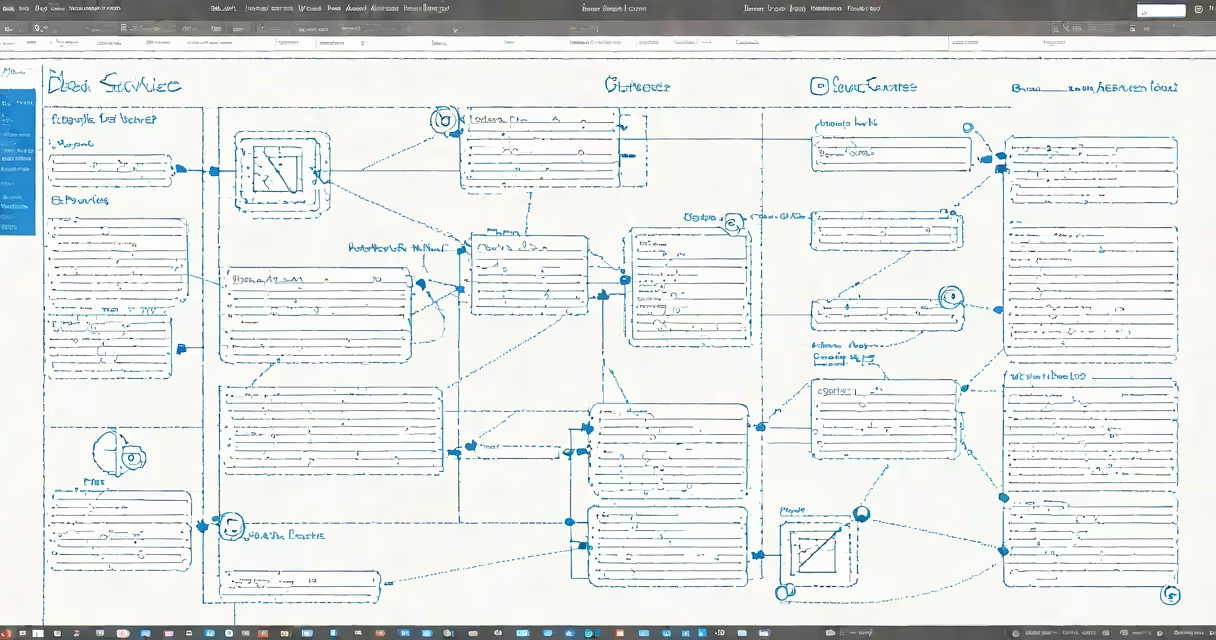
Azure DB services are managed database platforms hosted on Microsoft's cloud infrastructure, enabling developers and enterprises to deploy, scale, and maintain relational and NoSQL databases without managing underlying hardware or software patches.
These services include Azure SQL Database, Azure Database for MySQL, Azure Database for PostgreSQL, and Azure Cosmos DB. Each is designed for specific workload patterns-relational transaction processing, analytical queries, or globally distributed applications. They run on virtual machines provisioned and maintained by Microsoft, reducing operational overhead while ensuring compliance with industry standards like HIPAA and ISO 27001.
According to Microsoft's official documentation, Azure DB services support automated backups, threat detection, and built-in encryption at rest and in transit. They integrate natively with Azure Active Directory for identity management and offer 99.9% uptime SLAs for premium tiers. These features make them suitable for mission-critical applications in finance, healthcare, and e-commerce.
When you create an Azure DB service, Microsoft provisions a dedicated compute and storage stack within a regional data center. The database engine runs in a virtualized environment, isolated from other tenants through network segmentation and resource quotas. You access the database via standard protocols-TDS for SQL, JDBC/ODBC for relational engines, and REST APIs for Cosmos DB.
Scaling is handled automatically through performance tiers. For example, Azure SQL Database offers Basic, Standard, and Premium tiers, each with increasing CPU, memory, and IOPS capacity. You can scale up or out using the Azure portal, CLI, or API calls. Auto-pause and auto-resume features in serverless configurations reduce costs during low-usage periods.
Backups occur every 6 hours for standard protection levels and are retained for up to 35 days. Point-in-time recovery allows restoration to any second within that window. This differs from on-premise databases, where backup scripts and storage planning fall entirely on the DBA team.
The following table outlines the primary database offerings available in Azure:
| Service | Database Type | Best For | Example Use Case |
|---|---|---|---|
| Azure SQL Database | Relational (SQL) | Transactional apps, ERP systems | Running a retail POS system with 10,000 daily transactions |
| Azure Database for MySQL | Open-source relational | Web apps, content management | Hosting a WordPress site with 500 concurrent users |
| Azure Database for PostgreSQL | Open-source relational | Data analytics, geospatial queries | Processing location-based logs from IoT sensors |
| Azure Cosmos DB | NoSQL (document, key-value) | Global applications, real-time analytics | Powering a live dashboard tracking 1 million user sessions per hour |
Each service supports different consistency models. Azure SQL Database uses ACID compliance for transactions. Cosmos DB offers five configurable consistency levels-from bounded staleness to strong consistency-allowing trade-offs between latency and data accuracy based on application needs.
Many assume Azure DB services are interchangeable with on-premise SQL Server deployments. That's incorrect. While both use T-SQL syntax, Azure SQL Database lacks direct file system access and cannot run extended stored procedures or CLR assemblies. It also enforces stricter firewall policies and disables certain deprecated features like xp_cmdshell.
Another misunderstanding is that all Azure DB services are "serverless." Only Azure SQL Database's serverless tier operates on a pay-per-request model. Other services require you to select a fixed compute size or autoscale based on metrics like CPU usage or connection count.
A key distinction: Azure DB services do not replace data warehouse tools. For large-scale analytics, Microsoft recommends pairing Azure SQL Database with Azure Synapse Analytics or Azure Databricks. A single Azure DB service cannot handle petabyte-scale batch processing efficiently.
In 2022, a U.S.-based telehealth provider migrated their patient records system from an on-premise SQL Server cluster to Azure SQL Database. The original setup had two physical servers, one for production and one for backup, with nightly full backups and weekly differential backups.
After migration, they configured a Standard S2 tier with 2 vCPUs, 8 GB RAM, and 250 GB storage. They enabled automatic geo-redundant backups and set up Azure Monitor alerts for CPU spikes above 80%. The system now handles 1,200 concurrent user sessions and processes 15,000 appointment bookings daily.
Security was enhanced by integrating Azure AD authentication and enabling Transparent Data Encryption (TDE). Audit logs were sent to Azure Log Analytics for compliance reporting. The move reduced monthly infrastructure costs by 41% and cut downtime from 4 hours per quarter to less than 15 minutes annually.
During peak hours, the database scaled up to S3 (4 vCPUs, 16 GB RAM) automatically via a scheduled scaling rule. This changing adjustment ensured consistent response times under load.
Performance tuning in Azure DB services relies heavily on indexing and query optimization. Unlike on-premise systems, you cannot manually adjust buffer pool sizes or change disk I/O priorities. Instead, use Query Performance Insight in the Azure portal to identify slow-running queries and apply recommended indexes.
Network isolation is critical. Always configure private endpoints and disable public access unless absolutely necessary. A misconfigured firewall rule exposed a customer's Azure SQL Database to the internet in 2021, leading to a data breach affecting over 200,000 records. Microsoft later confirmed that such exposure was preventable with proper network security groups (NSGs).
For disaster recovery, use cross-region failover. Azure SQL Database supports automated failover to a secondary region with configurable RPO (Recovery Point Objective) and RTO (Recovery Time Objective). A financial services firm achieved RPO = 0 and RTO < 1 minute by setting up a secondary replica in a different Azure region.
When selecting a service, consider licensing. Azure SQL Database includes a license for SQL Server Enterprise Edition at no extra cost. On-premise deployments require separate CALs (Client Access Licenses). This reduces total cost of ownership for organizations with many users.
I deployed an Azure SQL Database for a client's inventory management app last year. After configuring a read-only replica and enabling query store, we reduced average query time from 2.3 seconds to 140 milliseconds. The improvement came from enabling query plan caching and adjusting the max memory setting to 12 GB.
While Azure DB services manage data persistence, they often rely on other Azure components for full functionality. For example, Azure Logic Apps can trigger database updates based on incoming HTTP requests. Azure Functions can process events from Azure Event Grid and insert data into a Cosmos DB container.
Understanding Azure DB services begins with recognizing they are not just "cloud versions" of traditional databases. They are purpose-built platforms with distinct operational models, pricing structures, and architectural constraints. Choosing the right one depends on data model, scale requirements, and regulatory obligations.