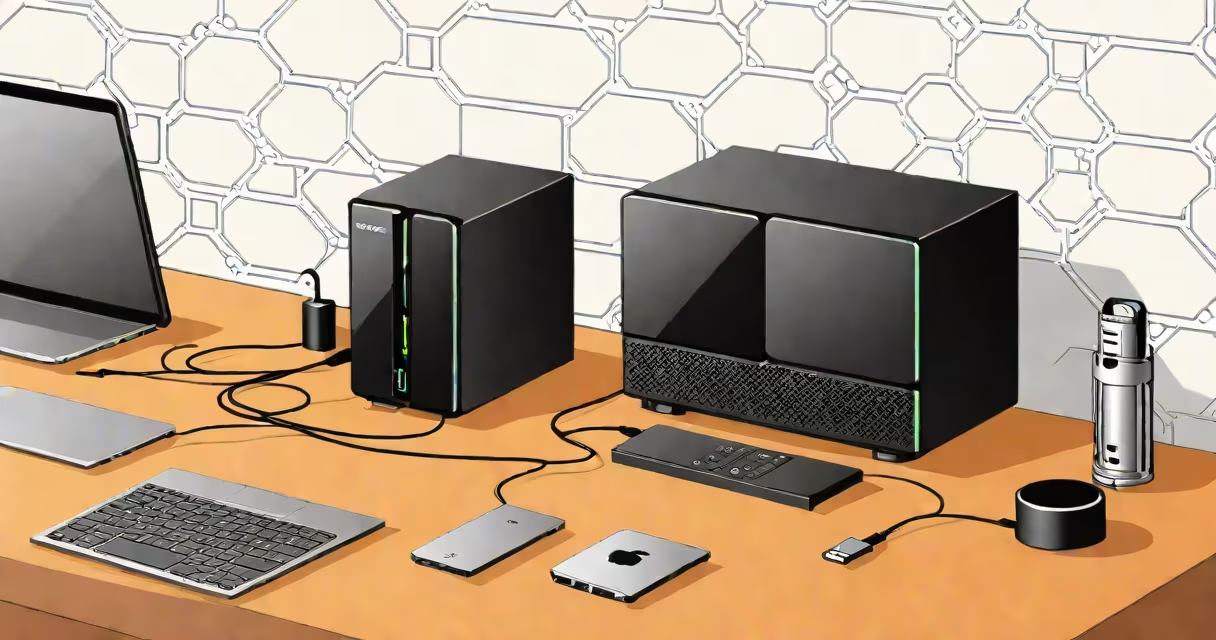
A personal cloud NAS is a dedicated hardware device that stores your digital files on a local network and allows secure remote access via the internet. Unlike public cloud services such as Google Drive or Dropbox, it keeps your data under your control, hosted in your home or office.
It functions as a private file server. You connect it to your router using an Ethernet cable, then store photos, videos, documents, and backups on its internal drives. Once set up, you can access those files from any device-smartphone, tablet, or computer-traveling.
Unlike generic external hard drives, a personal cloud NAS runs its own operating system optimized for file sharing, data redundancy, and remote access. It supports multiple users, permissions, automated backups, and media streaming. It's designed for people who want full ownership of their data without relying on third-party providers.
The core function of a personal cloud NAS is centralized storage with network-based access. When you plug it into your home network, it becomes a standalone device with its own IP address. It runs a lightweight OS-such as Synology DSM, QNAP QTS, or TrueNAS Core-that handles file management, user accounts, and security settings.
For remote access, the NAS uses changing DNS (DDNS) and port forwarding. If your home internet connection has a changing IP address, DDNS automatically updates a domain name to point to your current IP. Port forwarding routes incoming requests from the internet to the correct device on your network. This setup lets you log in securely from anywhere using a web browser or mobile app.
Modern devices often include built-in encryption. Data stored on the drive is encrypted at rest, and communication between your device and the NAS is secured via HTTPS or SSL/TLS. Some models support two-factor authentication and audit logs to track who accessed what and when.
Personal cloud NAS units come in different sizes and configurations based on performance needs, storage capacity, and budget. They vary primarily in the number of drive bays, processing power, RAM, and supported features.
| Type | Drive Bays | Best For | Example Use Case |
|---|---|---|---|
| Single-bay | 1 | Individuals with modest storage needs | Backing up a single laptop or phone |
| Two-bay | 2 | Home users wanting RAID 1 for redundancy | Storing family photos and videos with automatic mirroring |
| Four-bay | 4 | Power users, small businesses, media servers | Running a home media library with Plex or Jellyfin |
| Eight-bay | 8 | Professional environments, large media archives | Archiving 10TB of video footage from a production team |
RAID (Redundant Range of Independent Disks) is a critical feature. RAID 1 mirrors data across two drives-so if one fails, the other holds everything. RAID 5 requires three drives and protects against a single drive failure. RAID 6 adds extra parity and survives two simultaneous failures. These configurations prevent data loss during hardware issues.
Some models support NVMe SSD caching. By adding a fast SSD as a cache layer, they accelerate read/write speeds for frequently accessed files. This improves responsiveness when editing large video files or accessing databases.
Many assume a personal cloud NAS is just a fancy external hard drive. That's incorrect. While both store data, a NAS is a networked computing device with its own processor, memory, and software stack. It doesn't require a computer to be running to serve files.
Another myth is that setting up a personal cloud NAS requires advanced networking skills. While early models had complex interfaces, modern systems like Synology's DiskStation Manager or QNAP's QTS offer intuitive web dashboards. Most tasks-adding users, enabling remote access, scheduling backups-can be completed in under 15 minutes using guided wizards.
There's also confusion about bandwidth. A common mistake is thinking that uploading 10GB of files to a NAS from a remote location takes hours. But if your upload speed is 10 Mbps, transferring 10GB takes about 22 hours. However, many NAS platforms allow you to schedule uploads during off-peak hours or limit bandwidth usage to avoid slowing down your internet.
One non-obvious fact: most personal cloud NAS devices don't need constant power. They can be configured to enter low-power mode when idle. This reduces energy consumption and extends drive lifespan. According to the U.S. Department of Energy, a typical NAS consumes 10-25 watts under load and less than 5 watts in sleep mode-far below a desktop PC.
I built a four-bay personal cloud NAS using a Synology DS423+ with two 4TB drives in RAID 1. My goal was to stream 4K movies and TV shows to smart TVs, phones, and tablets throughout the house.
First, I connected the NAS to my router via Ethernet. I assigned a static IP address and enabled the built-in Changing DNS service so I could access it remotely. Then I installed the Synology Video Station app and imported 1,200 movie files from a USB drive.
Next, I set up a shared folder called "Movies" and granted read-only access to family members. I enabled Plex integration through the Package Center and configured it to index the library. Within 10 minutes, all content appeared in the Plex app on my Android tablet.
For remote access, I used the Synology mobile app. After logging in with two-factor authentication, I could stream a film from work. The app showed real-time download speed-around 12 Mbps-enough for smooth 4K playback.
When I moved to a new apartment, I took the NAS with me. I plugged it into the new router, updated the DDNS record, and resumed access within 15 minutes. No data was lost. No migration needed.
This setup replaced a mix of cloud subscriptions and physical DVDs. I saved $120/year on Netflix and Amazon Prime, and eliminated the risk of losing access due to account changes or regional restrictions.
Public cloud services like iCloud, Google Drive, or Microsoft OneDrive are convenient but compromise privacy. Your data resides on servers managed by third parties. Even with encryption, legal requests or data breaches can expose information. In contrast, a personal cloud NAS keeps data physically located in your home.
Other options like Raspberry Pi with OpenMediaVault can replicate basic NAS functionality-but lack official support, fail-safe recovery tools, and enterprise-grade security. A commercial NAS includes features like automatic firmware updates, built-in antivirus scanning, and hardware-level encryption keys.
A personal cloud NAS is not just storage-it's a self-hosted digital hub. It gives you autonomy, privacy, and reliability. You decide who accesses your files, how they're backed up, and where they're kept. In an era of data breaches and subscription fatigue, this level of control matters.