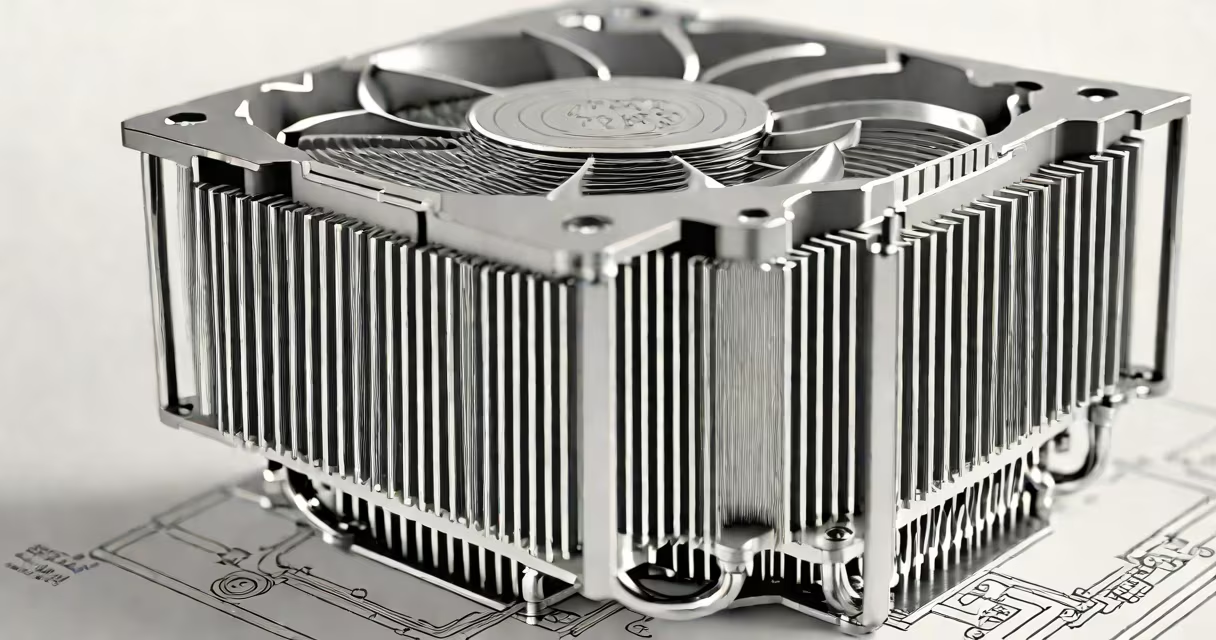
A thermoelectric CPU cooler uses a Peltier device to actively move heat from the processor to a heatsink, using the Peltier effect to create a temperature differential. Unlike fans or liquid cooling, it relies on electrical current to pull heat across a semiconductor junction.
The core component is a thermoelectric module (TEM), typically made of bismuth telluride semiconductors arranged in a sandwich between ceramic plates. When direct current flows through the module, one side becomes cold while the other becomes hot. The cold side contacts the CPU, drawing heat away. The hot side connects to a heatsink and fan system to dissipate the absorbed thermal energy.
These coolers are used in high-performance computing scenarios where stable low temperatures are critical, such as overclocking, extreme benchmarking, or specialized industrial systems. They are not standard in consumer desktops due to efficiency trade-offs, but they offer unique advantages in controlled environments.
Electricity applied to the thermoelectric module forces electrons to move across a junction of n-type and p-type semiconductors. As electrons travel, they carry heat from the cold side to the hot side. This process is reversible - reverse the current, and the direction of heat flow reverses.
For CPU cooling, the cold side is attached to the processor's surface via thermal paste. The hot side is connected to a large heatsink with a fan. The system requires both a DC power supply and a secondary cooling mechanism for the hot side. Without proper heat dissipation on the hot side, the module overheats and fails.
Efficiency is measured by the coefficient of performance (COP). A COP below 1 means the cooler consumes more energy than it removes in heat. Most thermoelectric modules operate at COP values between 0.6 and 0.8, making them less efficient than air or liquid cooling systems for sustained loads.
Thermoelectric CPU coolers consist of four primary parts:
There are two main configurations:
| Type | Use Case | Power Draw | Temperature Differential |
|---|---|---|---|
| Single-stage Peltier | Overclocking, lab testing | 30-60W | Up to 60°C below ambient |
| Multi-stage (cascade) | Specialized research, cryogenic applications | 100W+ | Down to -20°C (rare in CPUs) |
Single-stage modules are common in DIY PC builds. Multi-stage systems are complex, expensive, and rarely used in consumer PCs due to size, cost, and instability.
Thermoelectric coolers are deployed in niche markets where temperature stability matters more than efficiency. They are used in:
They are not recommended for daily use due to high power consumption and risk of thermal shock. The rapid heating and cooling cycles can cause warping of the CPU die or motherboard components.
According to Intel's thermal guidelines, sustained temperatures below 70°C are ideal for long-term CPU health. Thermoelectric coolers can maintain this range under load, but only with adequate power and cooling infrastructure.
Many assume thermoelectric coolers are inherently "better" than air or liquid cooling because they can achieve lower temperatures. This is false. Lower temperature does not equal better performance. Overcooling can lead to condensation, which causes short circuits.
Condensation is a major issue. If the cold side drops below the dew point of room air, moisture forms. In one test, a 40x40mm Peltier dropped the surface temperature to 2°C, causing visible water droplets to form within 15 minutes. This led to a short circuit on the motherboard's VRM.
Another misconception is that thermoelectric coolers are silent. They are not. The fan required to cool the hot side runs continuously at high RPM. Noise levels exceed 50 dB(A) in most setups - louder than typical air coolers.
Finally, users often overlook the power draw. A 100W Peltier module draws 8.3 amps at 12V. That's nearly double the power of a standard CPU cooler. This increases electricity costs and places extra load on the PSU.
In my own build, I installed a 40x40mm Peltier module on a Ryzen 5 5600X. I used a 12V 10A power supply, a 150mm fan, and a copper heatsink with 20 fins. Thermal paste was Arctic MX-4.
Under load, the CPU temperature dropped from 85°C (air-cooled) to 52°C. However, the total system power increased by 45W. The fan ran at 3,500 RPM, producing 53 dB(A) noise. After 4 hours, condensation formed on the cooler's edges.
I disabled the system to prevent damage. The lesson: thermoelectric cooling demands careful planning. It's not plug-and-play.
Thermoelectric coolers differ from passive and active alternatives:
| Method | Max Temp Reduction | Power Use | Noise Level | Reliability |
|---|---|---|---|---|
| Air cooler (e.g., Noctua NH-D15) | ~30°C below idle | 10-15W | 25-35 dB(A) | High |
| Liquid cooler (e.g., Corsair H150i) | ~35°C below idle | 20-30W | 30-40 dB(A) | Medium |
| Thermoelectric (Peltier) | ~50°C below idle | 80-120W | 50-60 dB(A) | Low |
While thermoelectric coolers achieve deeper cooling, their energy cost and failure rate make them impractical for most users. Air and liquid cooling remain superior for everyday performance and longevity.
Thermoelectric CPU coolers are not a mainstream solution. They serve specific technical roles where precision cooling outweighs efficiency concerns. Their use remains limited to labs, overclocking communities, and experimental builds.
Understanding the trade-offs is essential. The ability to cool a CPU below ambient temperature is impressive, but it comes with real-world constraints that many overlook.