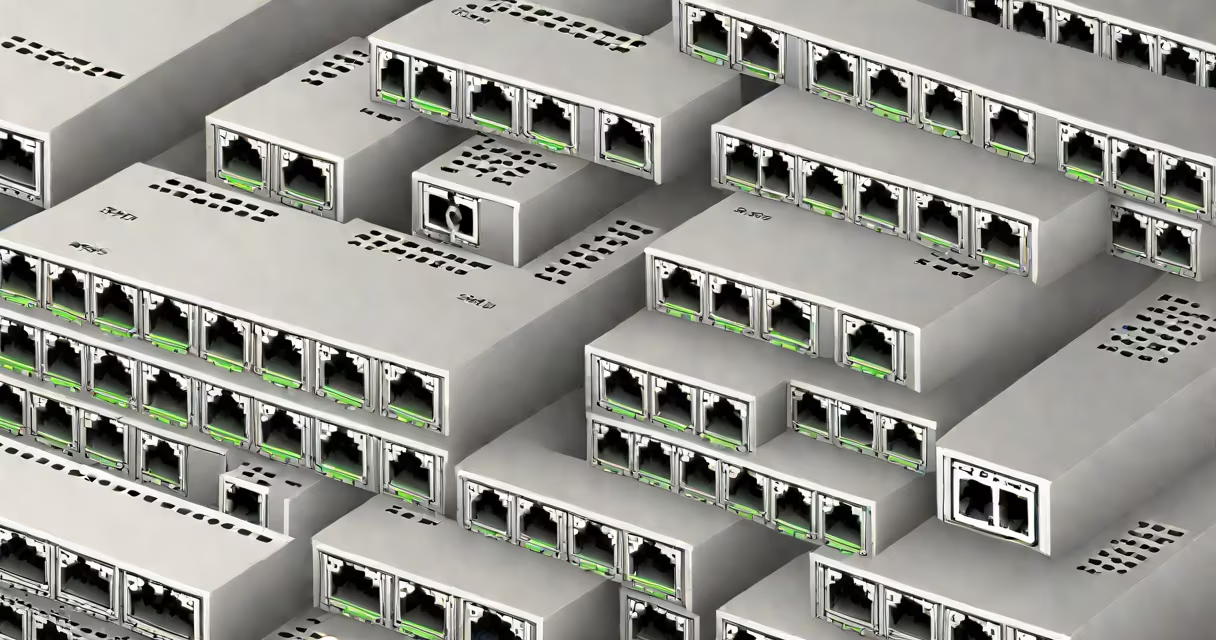
A SFP port on a switch is a standardized slot that accepts a Small Form-factor Pluggable (SFP) module, enabling high-speed network connections via fiber optic or copper cables. These ports support data rates from 100 Mbps to 10 Gbps, depending on the installed module.
SFP ports allow network administrators to customize connectivity based on distance, medium, and speed requirements. They are common on enterprise-grade switches and are essential for connecting switches, servers, and routers across data centers and campus networks.
The SFP standard was developed by the IEEE and adopted widely by manufacturers including Cisco, Juniper, and Arista. According to the IEEE 802.3 standard, SFP modules must comply with specific electrical and optical parameters to ensure interoperability across brands.
An SFP port acts as a physical interface that communicates with a plug-in SFP module. The module contains optics (for fiber) or electrical circuitry (for copper) and translates data between the switch's internal bus and the external network. When inserted, the switch detects the module's capabilities through an EEPROM chip embedded in the module.
For example, inserting a 1000BASE-SX SFP module into a port enables 1 Gbps Ethernet over multimode fiber up to 550 meters. The switch automatically configures the port to match the module's speed and duplex settings. This plug-and-play behavior reduces configuration time and prevents misconfiguration errors.
Modern switches often support SFP+ and SFP28 variants, which handle 10 Gbps and 25 Gbps respectively. These require compatible modules and switch firmware that supports higher speeds. A mismatch between module and port capability results in the port failing to come up.
SFP modules differ by transmission type, wavelength, distance, and media. The most common types include:
| Module Type | Speed | Medium | Max Distance | Use Case |
|---|---|---|---|---|
| 1000BASE-SX | 1 Gbps | Multimode fiber | 550 m | Short-run campus links |
| 1000BASE-LX | 1 Gbps | Single-mode fiber | 10 km | Longer-distance inter-building links |
| 1000BASE-T | 1 Gbps | Copper (RJ45) | 100 m | Connecting to PoE devices or patch panels |
| 10GBASE-SR | 10 Gbps | Multimode fiber | 300 m | Data center uplinks |
Each module is labeled with its specification. For example, a "SFP-1G-SX" module is designed for 1 Gbps over short-wavelength fiber. Using the correct module ensures stable performance and avoids signal degradation.
Non-obvious fact: Not all SFP modules are interchangeable. Some vendors lock their switches to branded modules using authentication chips. Cisco's Smart Licensing and HP's ProVision systems enforce this. Third-party modules may fail to initialize unless they pass vendor-specific checks.
SFP ports are critical in environments requiring flexible, high-performance networking. Data centers use them for server-to-switch links, where 10 Gbps throughput and low latency are essential. A single 10GBASE-SR SFP module can connect a server to a core switch across a 300-meter run in a rack room.
Enterprises deploy SFP ports to extend network reach beyond copper limits. A campus network spanning two buildings might use 1000BASE-LX modules over single-mode fiber to maintain 1 Gbps speeds across 5 kilometers.
Another key use is redundancy. By placing a backup fiber link in an SFP port, organizations achieve failover without replacing hardware. This is common in financial trading networks where downtime costs thousands per second.
When I configured a 24-port managed switch for a small business, I used two SFP ports to connect to a remote office via fiber. One ran a 1 Gbps link over multimode fiber (1000BASE-SX), the other served as a backup with a 1000BASE-LX module. Both were monitored via SNMP, and traffic switched automatically during a cable cut.
People often mistake SFP ports for regular RJ45 Ethernet ports. While both carry Ethernet frames, SFP ports support longer distances and higher speeds using different physical layers. An SFP port cannot accept a standard Ethernet cable without a direct-conversion SFP module.
Another confusion: SFP ports do not provide power. Unlike PoE (Power over Ethernet) ports, SFP slots deliver no electrical power to connected devices. If a device requires power, such as an IP camera or VoIP phone, it must be powered separately or through a PoE-enabled port.
Some assume SFP modules are universal. In reality, compatibility depends on the switch model and firmware version. A module that works in a Cisco Catalyst 9300 may fail in a similar model from a different vendor due to differing authentication protocols.
Also, SFP ports are not inherently secure. The security of the connection depends on the network configuration, not the port itself. A properly secured VLAN and access control list (ACL) must be applied regardless of whether the link uses copper or fiber.
SFP ports differ from fixed-speed ports like Gigabit Ethernet (RJ45) or SFP+ ports. Here's how they compare:
| Feature | SFP Port | RJ45 Port | SFP+ Port |
|---|---|---|---|
| Maximum Speed | 1 Gbps (standard), up to 10 Gbps (SFP+) | 1 Gbps | 10 Gbps |
| Media Support | Fiber or copper via module | Copper only (UTP) | Fiber or copper via SFP+ module |
| Distance Range | Up to 10 km (single-mode) | 100 meters (Cat5e/6) | Up to 10 km (fiber) |
| Flexibility | High - change media or speed by swapping module | Low - fixed to copper | High - supports multiple speeds |
For example, a 5-port PoE switch with four RJ45 ports and one SFP port allows you to connect a PoE camera via copper while linking to a distant server via fiber. This hybrid setup is common in surveillance and industrial automation.
For monitoring traffic, some switches offer mirror port functionality. A mirror port switch copies traffic from one or more ports to a designated monitor port. This is useful for intrusion detection and troubleshooting. You can configure a mirror port to capture traffic flowing through an SFP port, allowing deep analysis without interrupting the network.
When selecting a switch, verify that the SFP port supports the module type you plan to use. Check the manufacturer's compatibility matrix. For example, Belkin's KVM switch 4 port supports USB and video switching but lacks SFP ports entirely. It is not suitable for fiber-based network extensions.
Understanding what is a SFP port on a switch clarifies how modern networks scale, interconnect, and maintain reliability. These ports are not just connectors-they are gateways to higher bandwidth, longer reach, and greater adaptability.
With the right SFP module, a switch port becomes a strategic tool for building resilient, high-performance infrastructure. Whether connecting data centers or extending campus networks, the SFP port delivers precision and scalability.